
What's new in One Big Green: edition August 2026

This release is all about saving time, reducing clicks, and making everyday work easier for both your office team and your field crews.
Many of these improvements came directly from customer feedback, and they focus on the tasks you do most often: scheduling visits, managing sites, importing data, and keeping your team informed.
Let’s take a look at what's in. 👇
A calendar that gives you more space and less friction
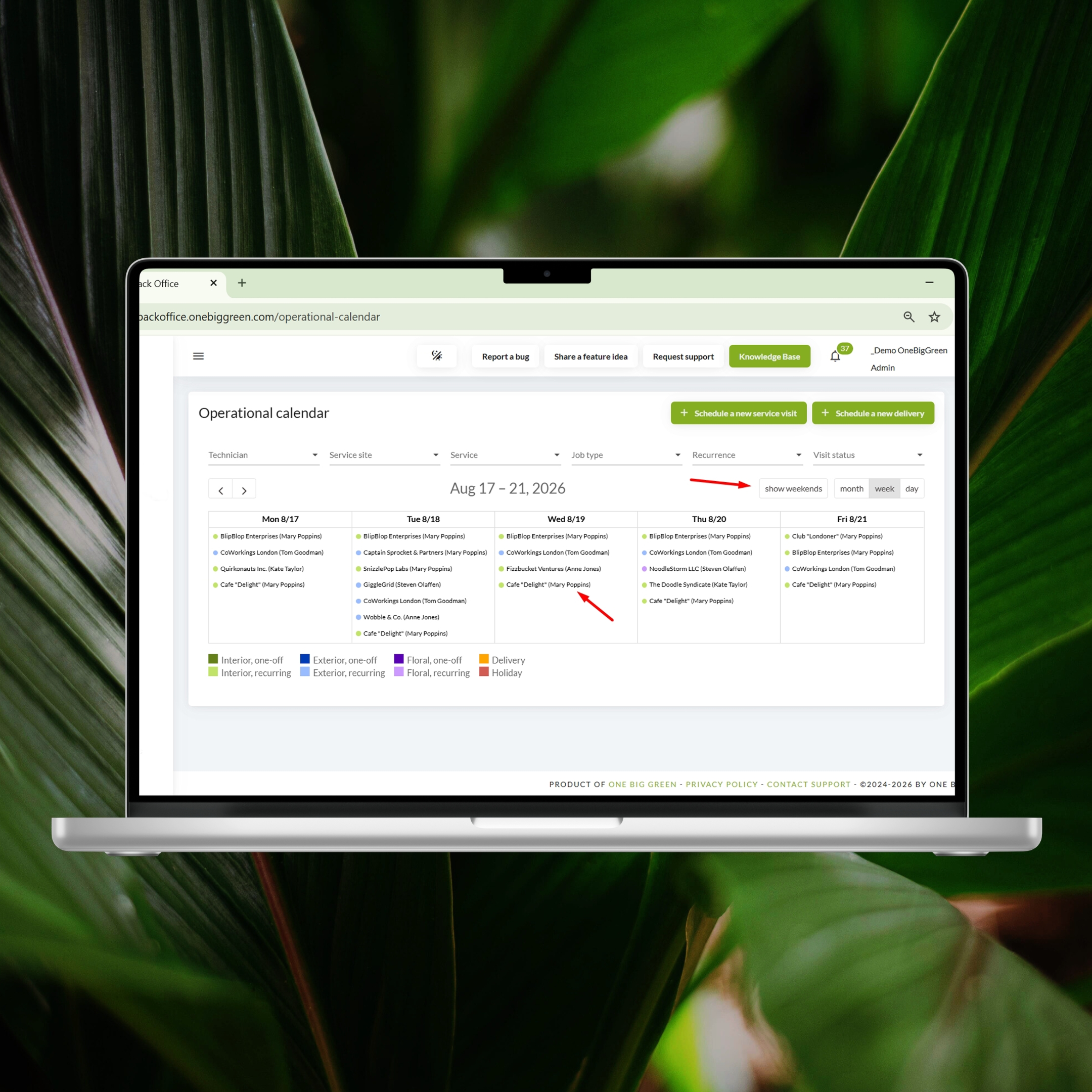
The Operational Calendar in the Back office has become much faster to work with, especially if you schedule a lot of visits:
Weekends are now hidden by default, so you can see more of the working week without constantly scrolling. If you work weekends, you can show them again with one click.
The assignee name is now visible directly in each calendar entry, which makes it much easier to understand who is doing what at a glance.

Improved Operational Calendar
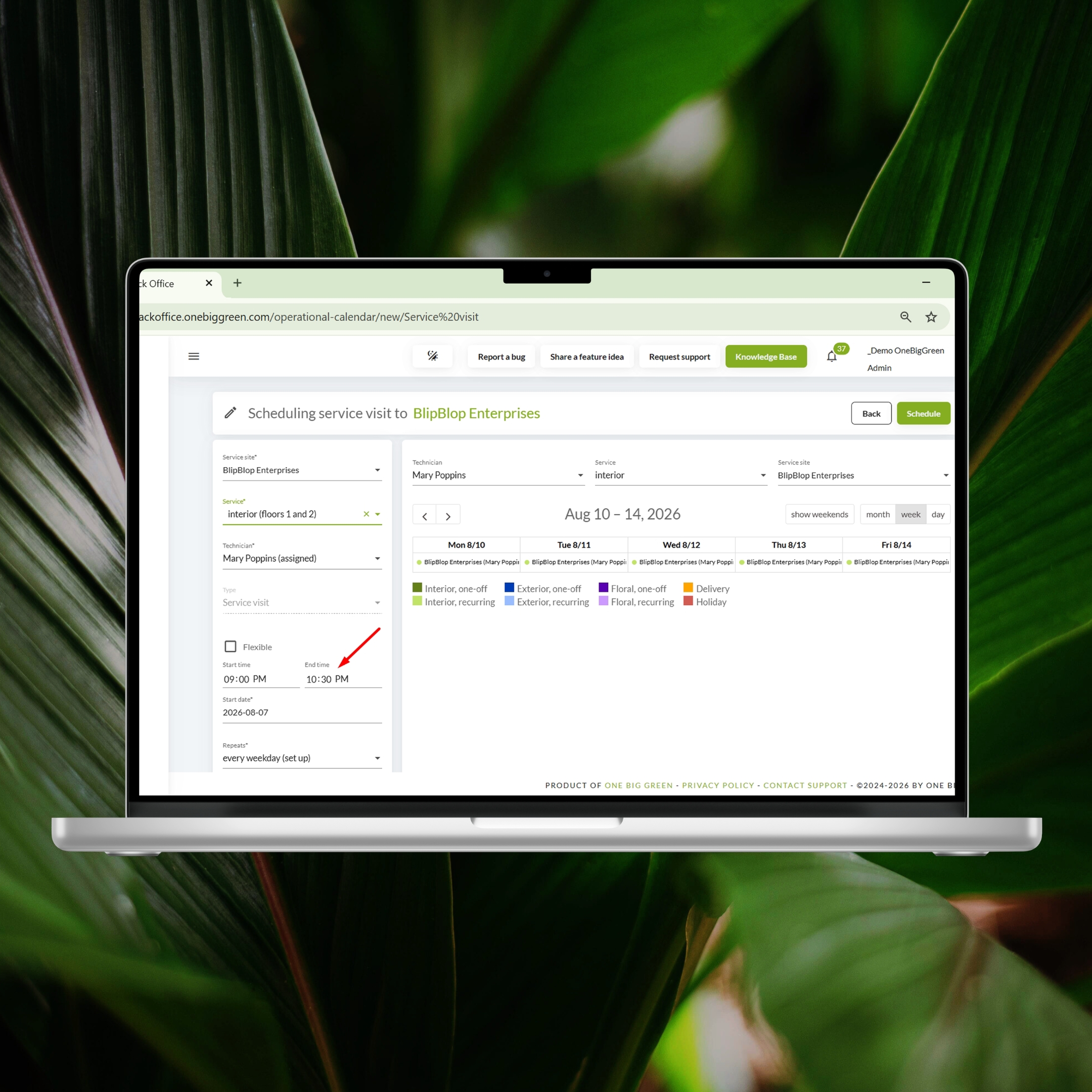
Time windows can now be typed directly, so scheduling visits takes seconds instead of fiddling with a virtual clock.
A small time-saving tip: after clicking a time field, press the Tab button on your keyboard to jump between the hour and minute fields in the Start Time and End Time sections. This makes entering time windows much faster when scheduling multiple visits or deliveries.
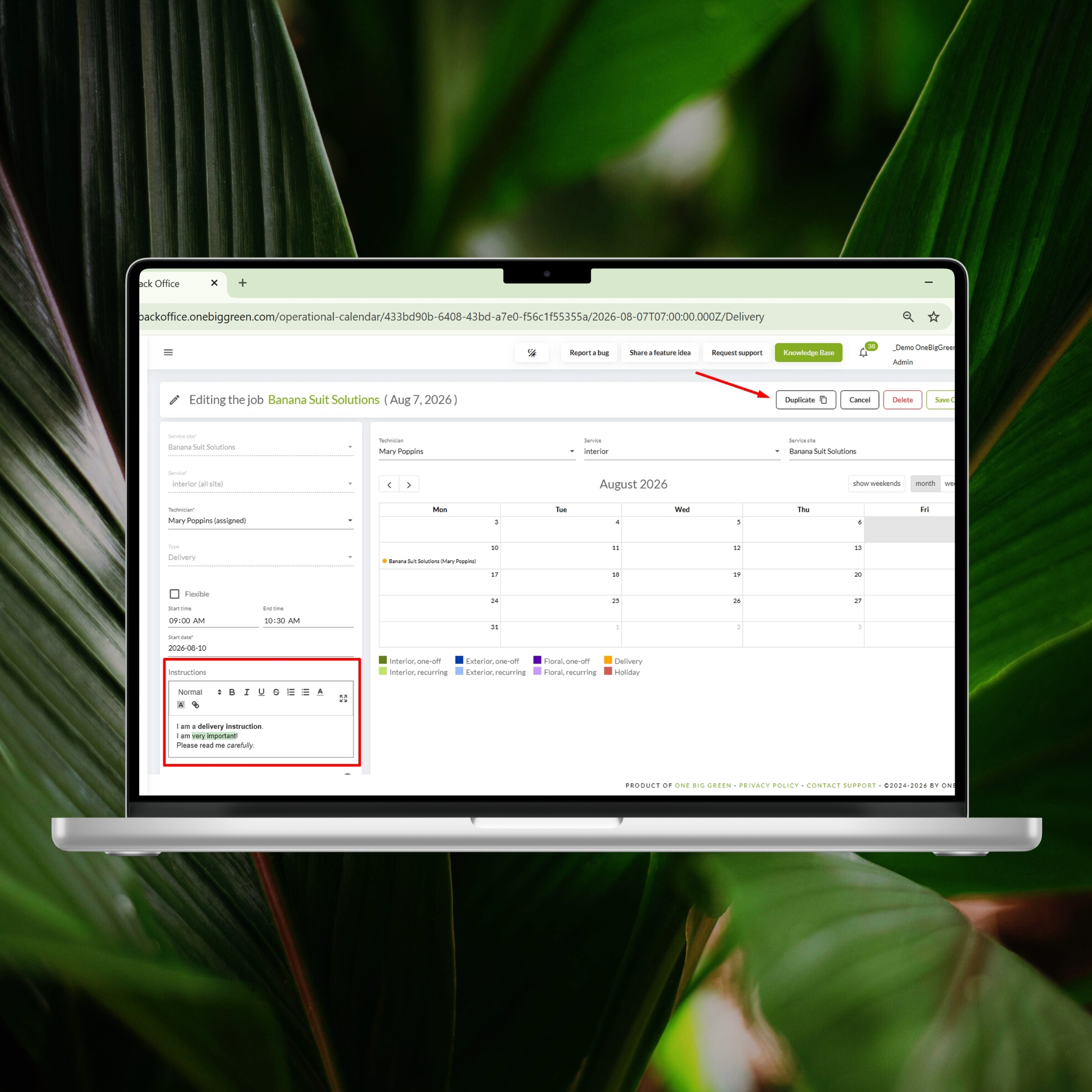
Instructions now support rich text formatting, allowing you to highlight critical information, create clear task lists, and make service instructions much easier for field teams to follow.
Deliveries can be duplicated, including all instructions, which is especially useful for recurring deliveries or when assigning a similar delivery to another employee or site.

Duplicating deliveries and using rich text in instructions
A smoother Back office experience
A couple of usability improvements make day-to-day work significantly more comfortable:
Popup windows can now be moved around the screen, so you can keep important background information visible while editing.
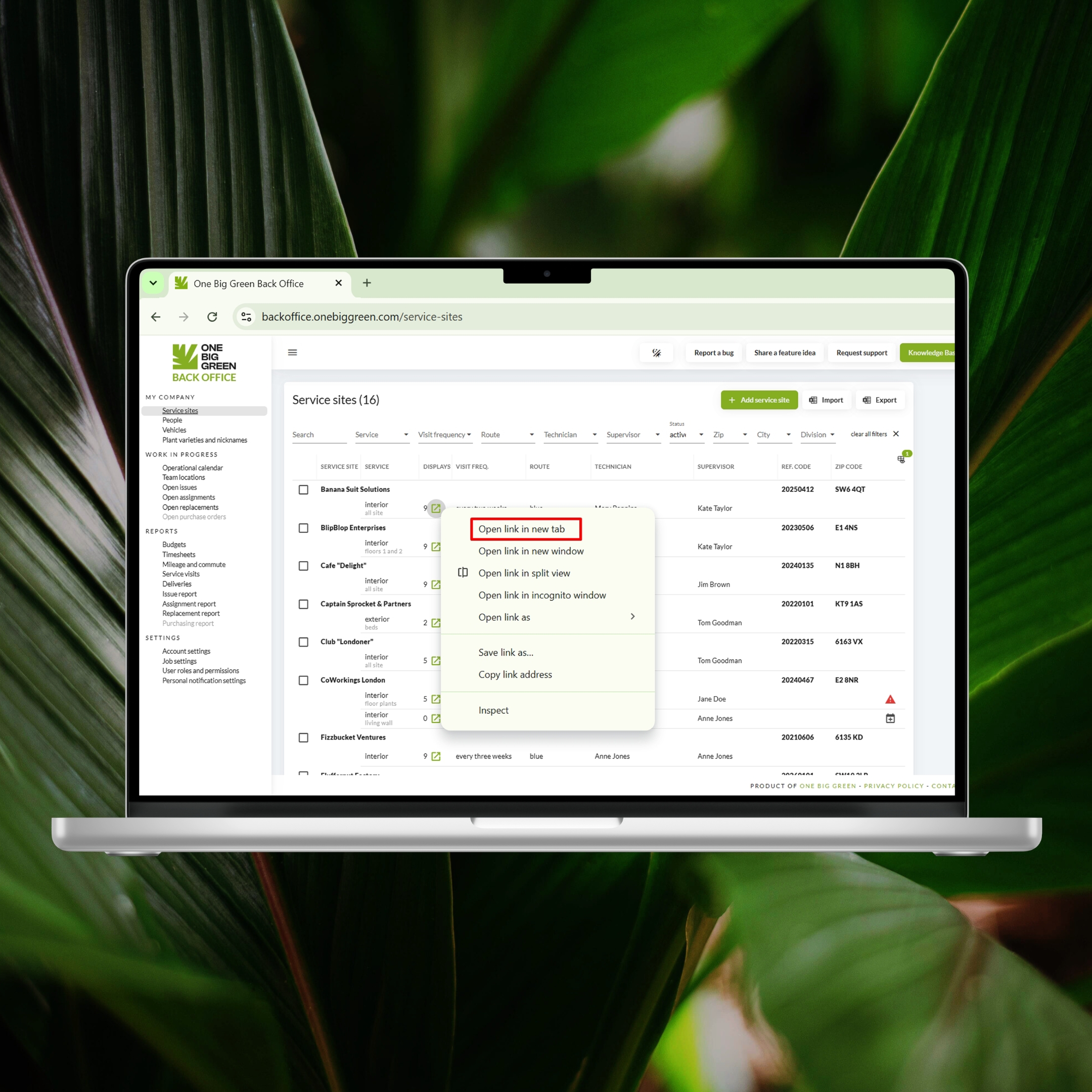
You can now work in multiple browser tabs, making it much easier to compare information, copy data between records, or manage several tasks at once.

Working in multiple tabs in the Back office
Less repetitive work for field teams
Small improvements in the mobile app add up quickly over the course of a week:
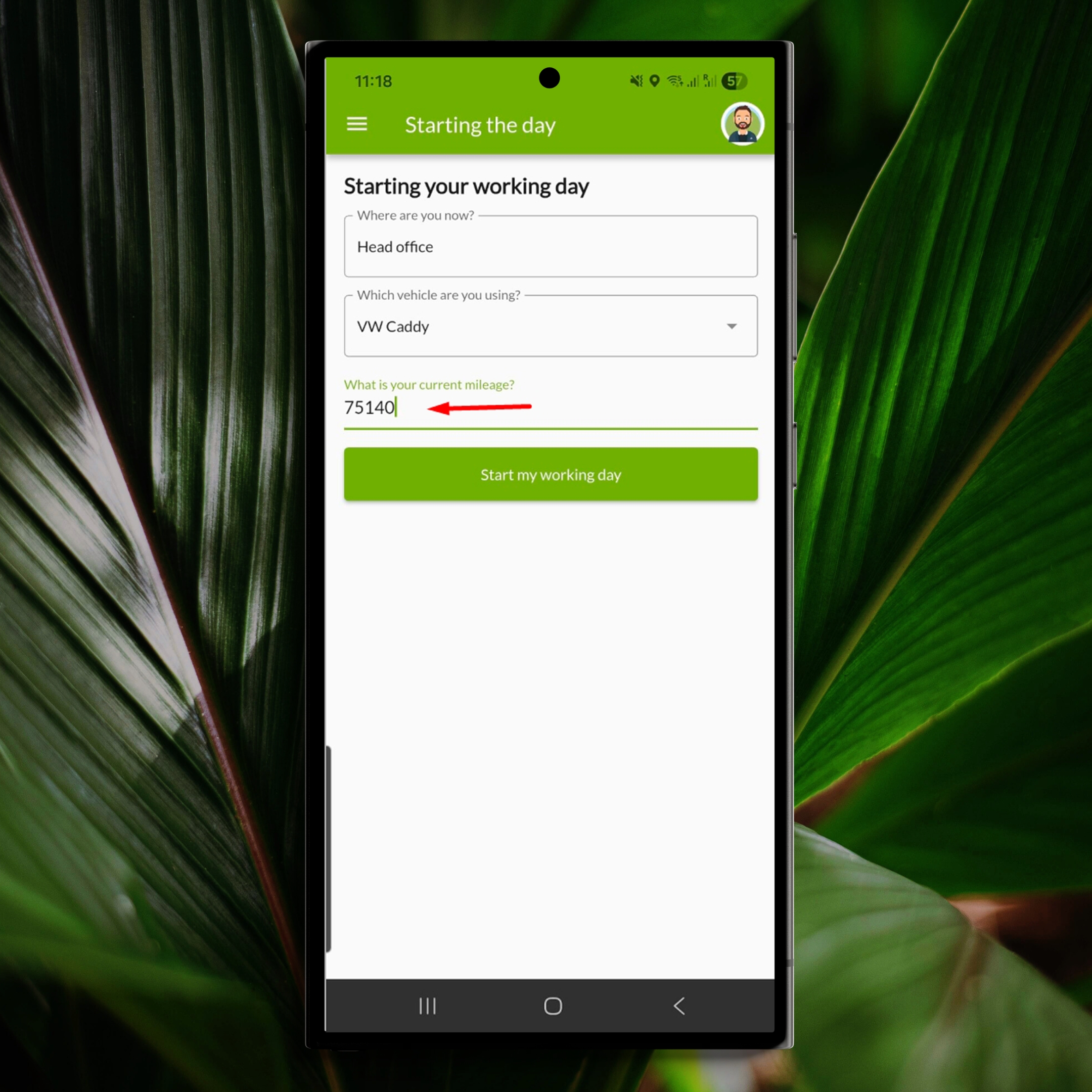
The app now remembers the previous day’s finishing mileage, so drivers don’t have to enter the same information again every morning.

The last finishing mileage is now remembered when you start the new day with the same vehicle
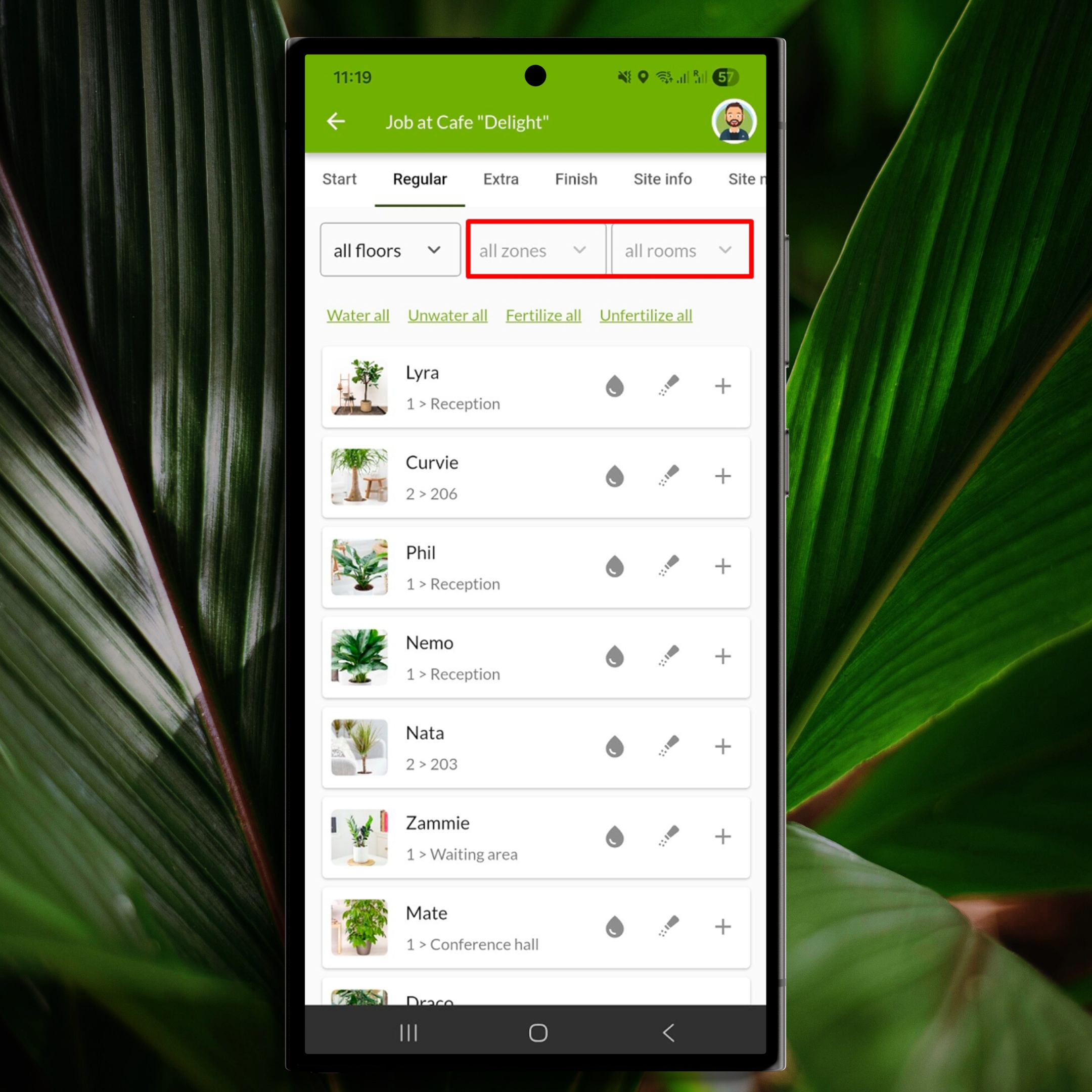
Zone and room filters are now available during service visits, making it much easier to navigate large sites and log work in the correct location.

You can now filter the displays by zone and room when doing a service visit
Better organized service sites
Service site records can now hold much more useful operational information:
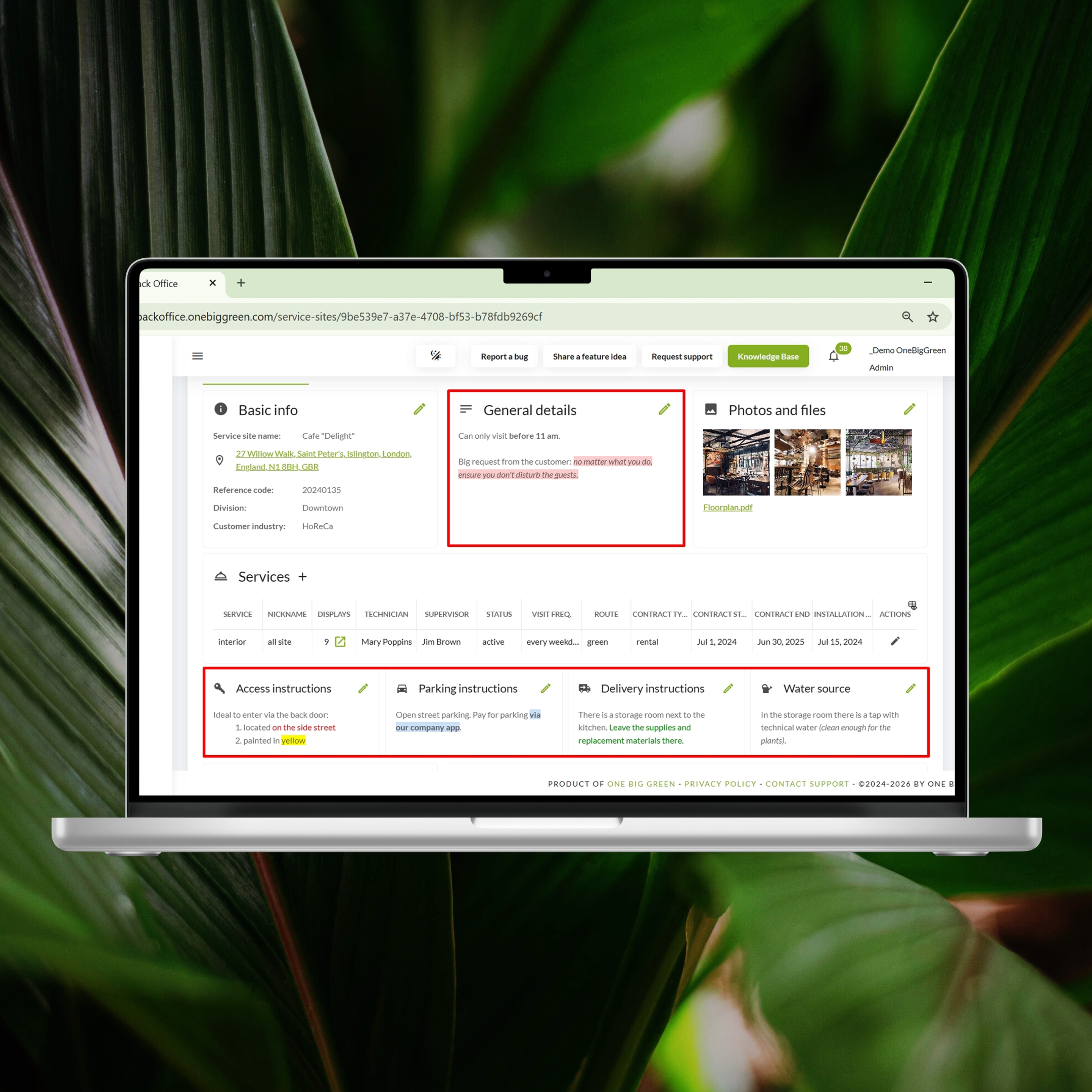
All instruction fields now also support rich text formatting, making site instructions clearer and more structured.
Each site can now include up to 12 instructional photos, 5 files, and 7 contact persons, giving your field team everything they need in one place.

Use a simple text editor to highlight the most important aspects of the site instructions
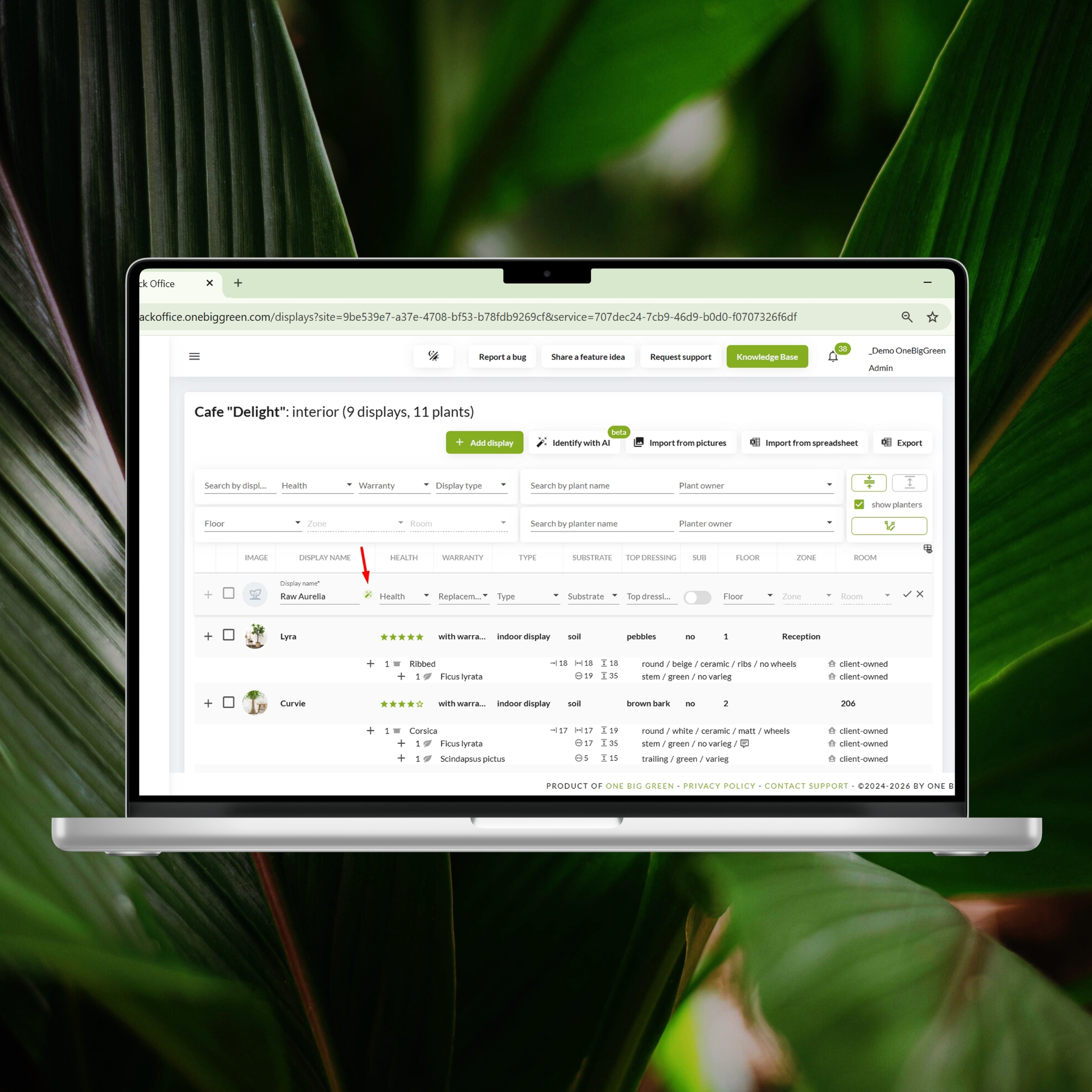
In service site inventories, random display names can be generated automatically, saving time and eliminating duplicate naming issues.

Random display name generator keeps all the display names unique
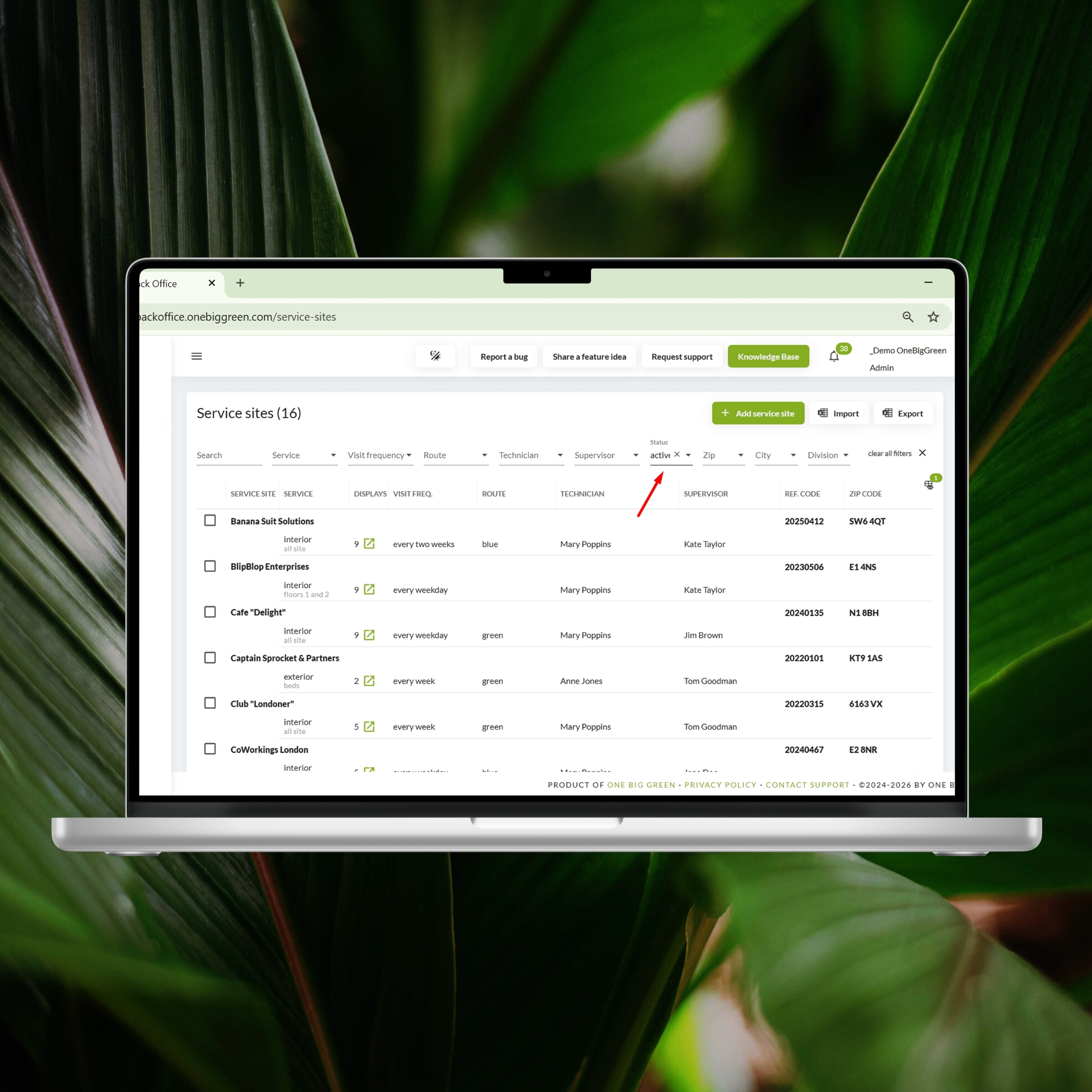
We also made it easier to focus on the sites that matter most. The service site list now defaults to active sites, reducing clutter and making everyday navigation faster. Inactive sites and services are still available whenever you need them by simply removing the filter.
Faster imports and exports
If you regularly import sites or displays, this update will save a lot of troubleshooting time:
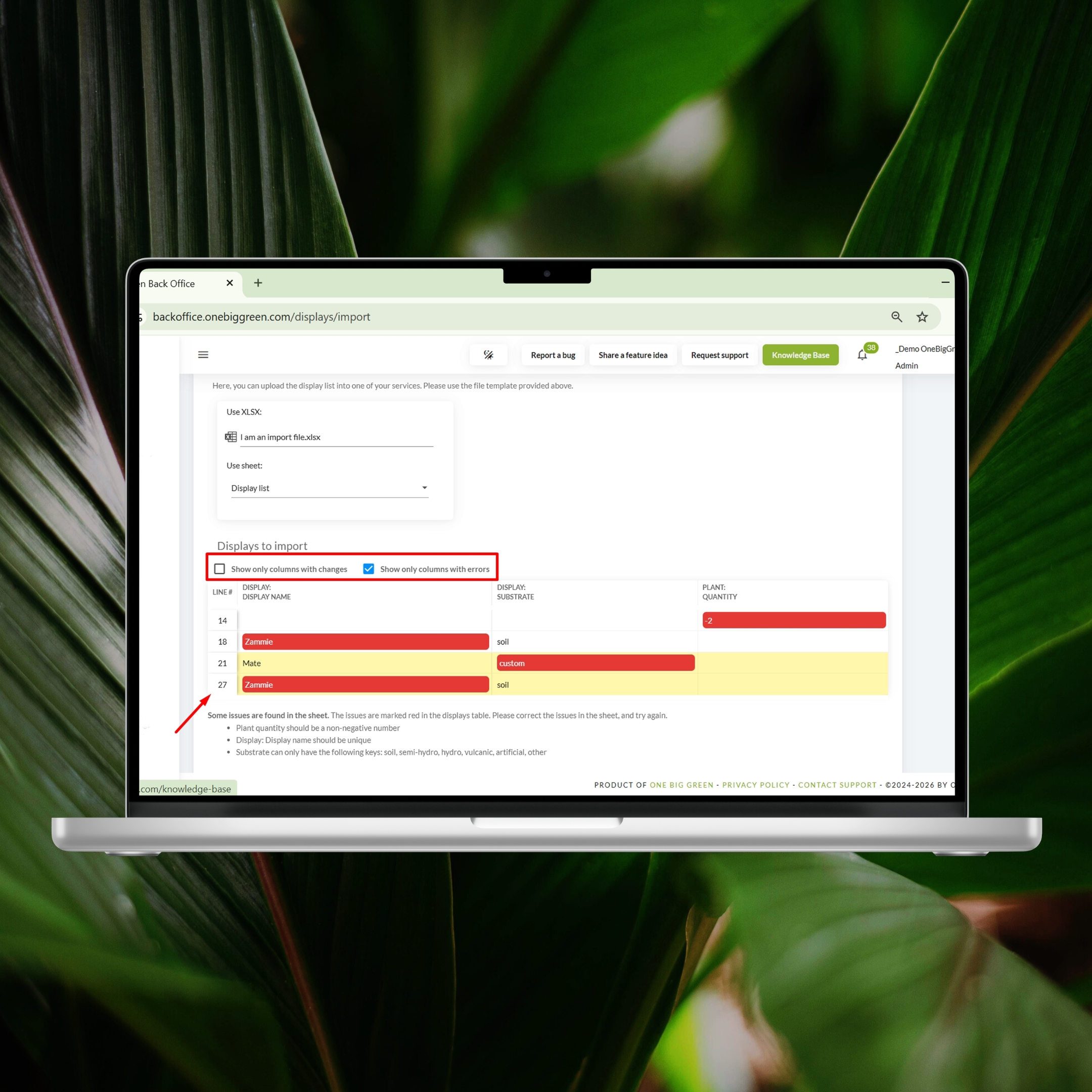
You can now show only rows with errors or updated information by clicking the new checkboxes, so you don’t have to search through the entire import file.
The system now also displays the original row number from your spreadsheet, making it easy to locate and fix problems before reuploading.
Large exports, such as service site lists and inventory exports, are now noticeably faster.
And when importing displays via photos, drag and drop is now supported, making the process much quicker.
Easier replacement management
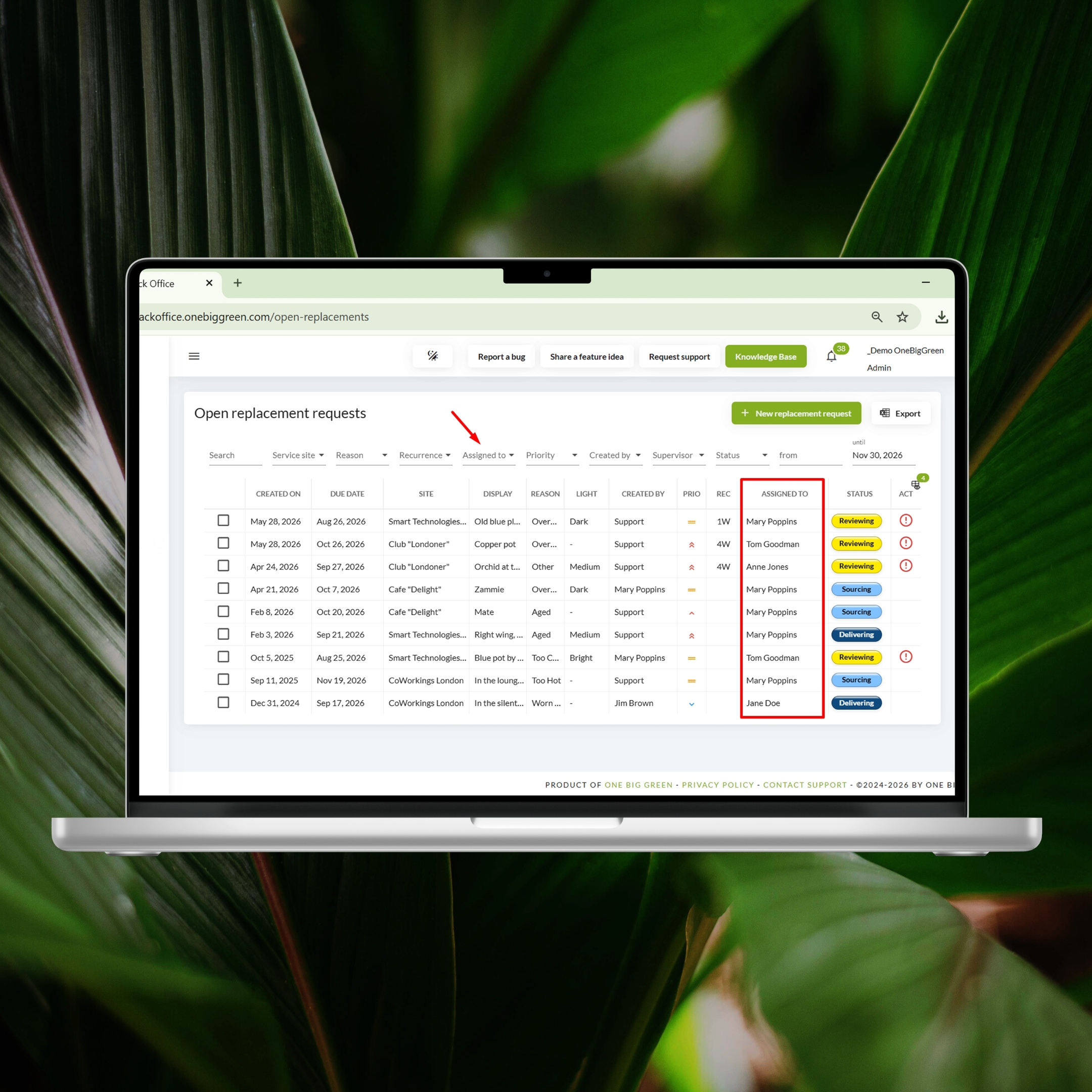
For those managing a high volume of replacements, the Assignee column and filter are back in Open Replacements, making it easier to track workload and find the right tickets quickly.
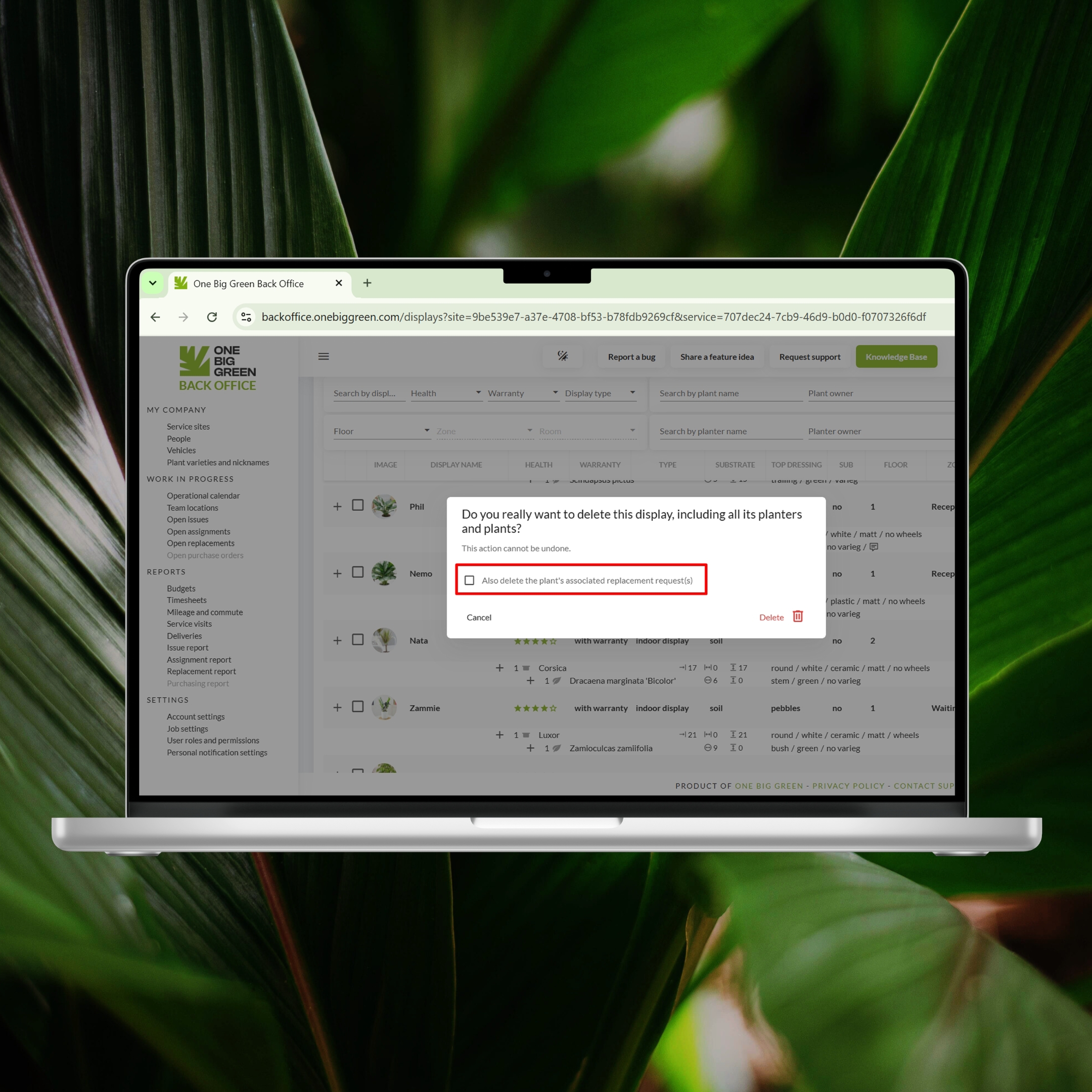
Also, if you delete a plant or planter with an open replacement request, OBG will now ask whether you want to delete the replacement ticket as well. This helps prevent outdated replacement records, keeps your replacement queue clean, and saves you from having to track down and remove the “ghost tickets” manually.
A cleaner Account Settings area
The Account Settings section has been reorganized to make workspace customization easier:
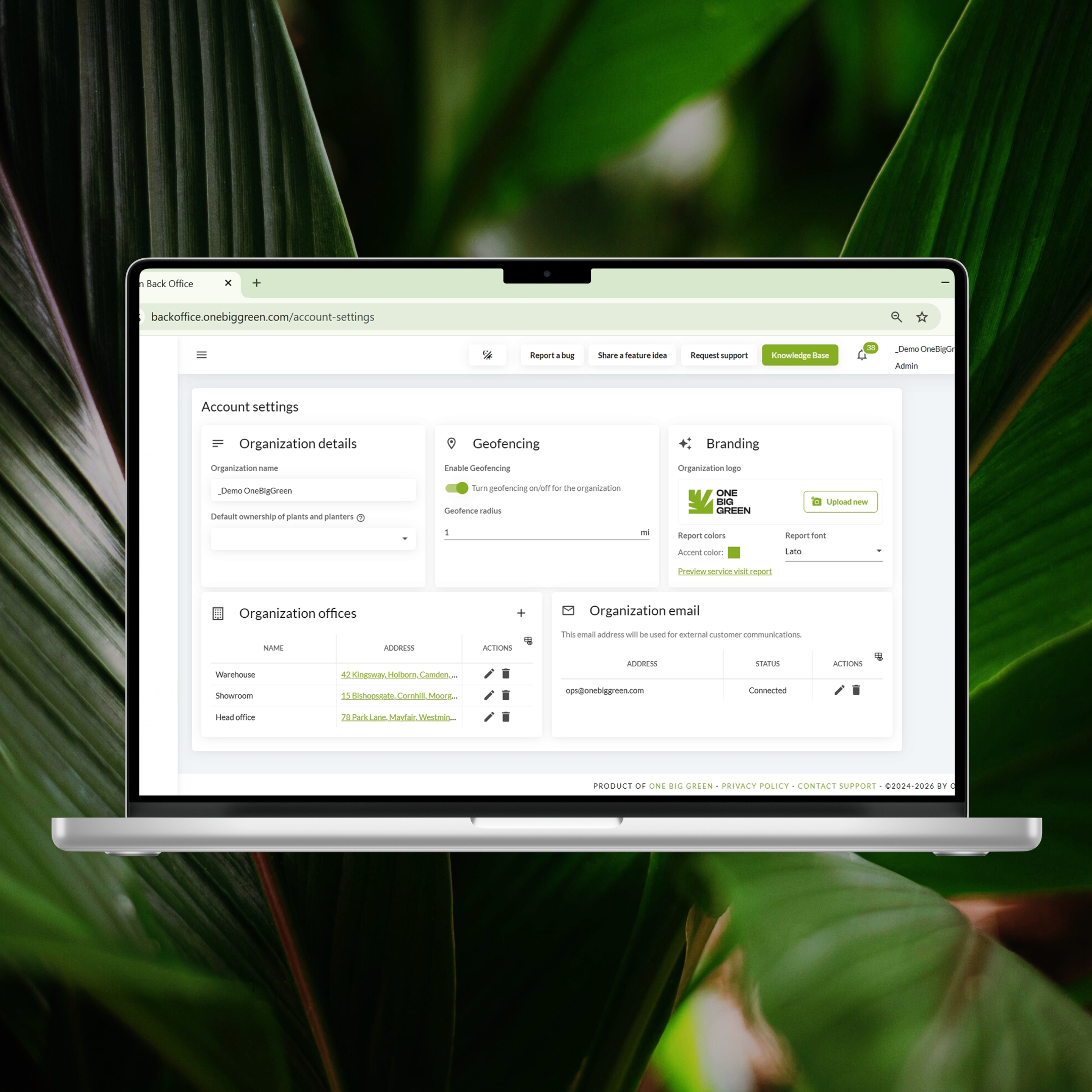
Take a few minutes to explore the available options. Small adjustments to terminology, workflows, and settings can make OBG fit much more naturally with the way your company operates.
Thanks for being with One Big Green
As always, thank you for all the suggestions and feedback.
Many of these improvements came directly from customer conversations, and we’re already working on the next round of updates.


