
What's new in One Big Green: edition May 2026

A fresh batch of updates just landed in One Big Green - and there’s a lot to like.
From a brand new live Team Locations map, to easier recurring visit scheduling, to the long-awaited Back button in the mobile app (yes, it’s finally here) - this release is packed with improvements designed to make everyday work quicker, smoother, and a little less clicky.
Some of these are big new tools. Some are small quality-of-life upgrades. But all of them were built with one goal in mind: helping your team move faster with less friction, whether you’re in the office planning the day or out in the field getting the work done.
Here’s what’s new: 👇
Team Locations
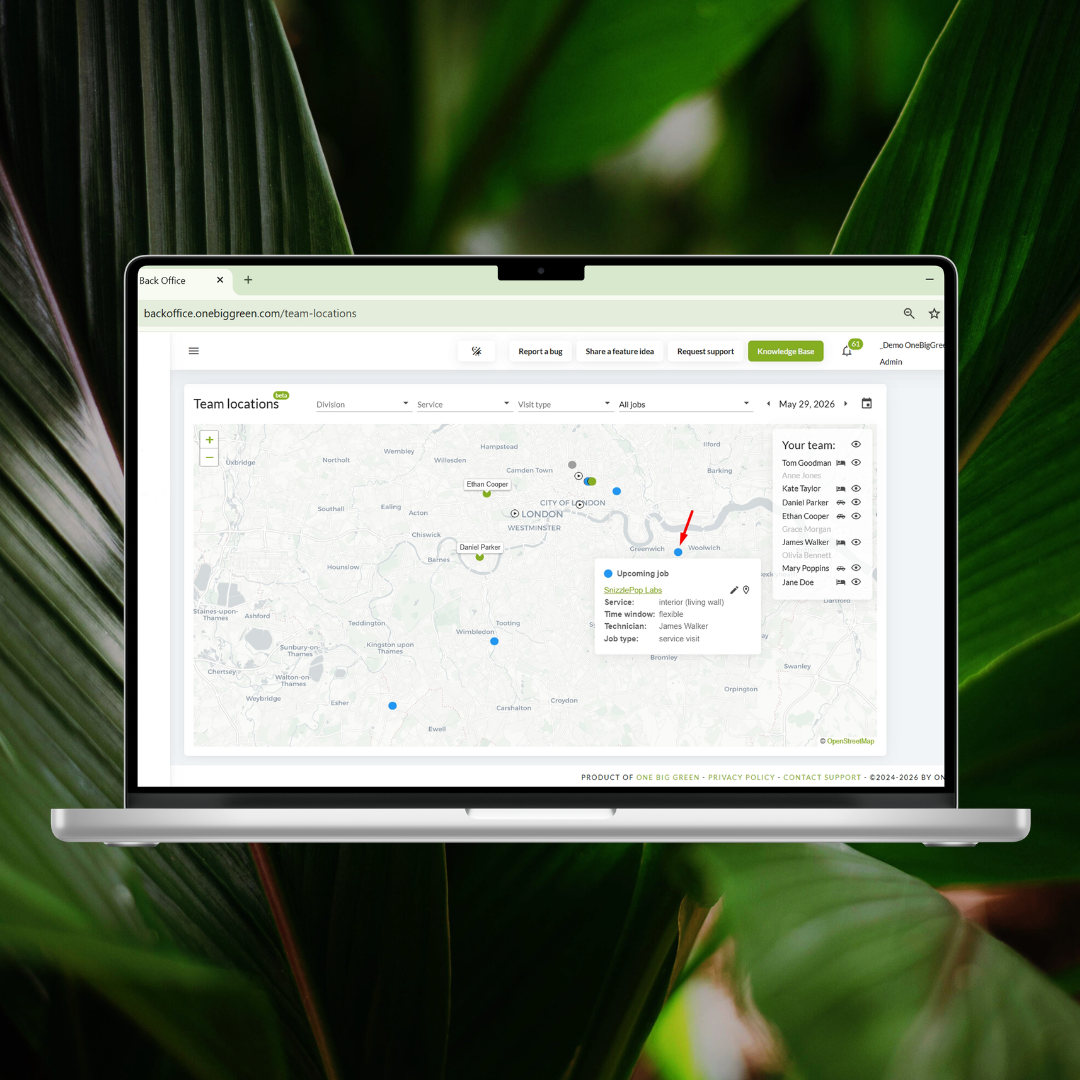
We’ve added a new section - Team Locations section in OBG.
For any selected date, you can now see all your team members on the map, along with:
their ongoing jobs this very moment
jobs completed that day
upcoming scheduled visits
This makes it easy to check where everyone is throughout the day - especially when something urgent comes up, and you need to quickly decide who is best positioned to handle an extra stop, errand, or last-minute visit.
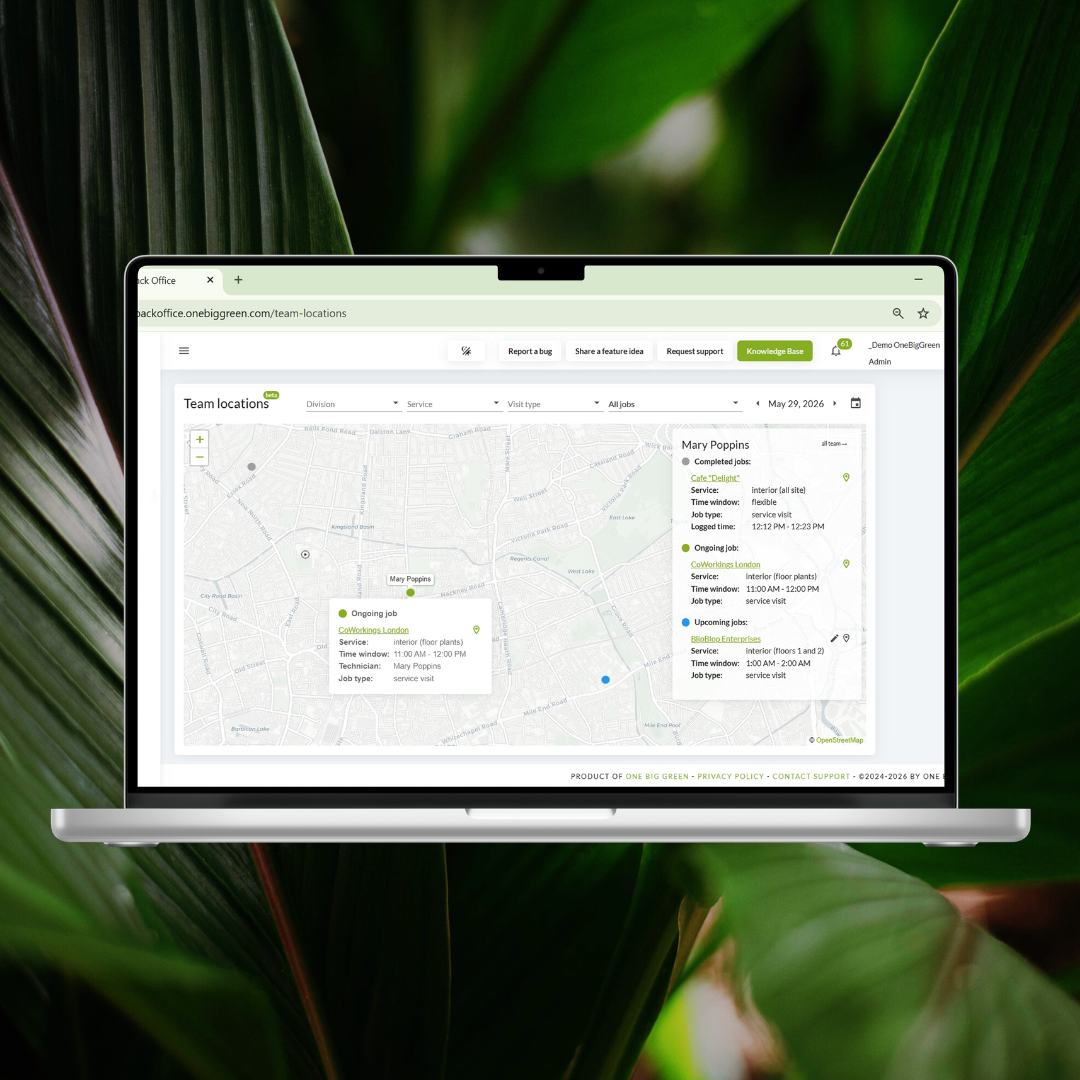
Need to zoom in on one person? Simply click their name in the list and you’ll instantly see all of their past, current, and upcoming locations for the day.
Need to make a change? The Edit button next to each upcoming job takes you straight to the visit editing form.
Why it matters:
This gives dispatchers and managers a real-time operational overview of the field - helping your team respond faster, make better routing decisions, and stay flexible when the unexpected happens.
End-of-Contract Reminders
Did you know you can set a contract end date for each service your company provides?
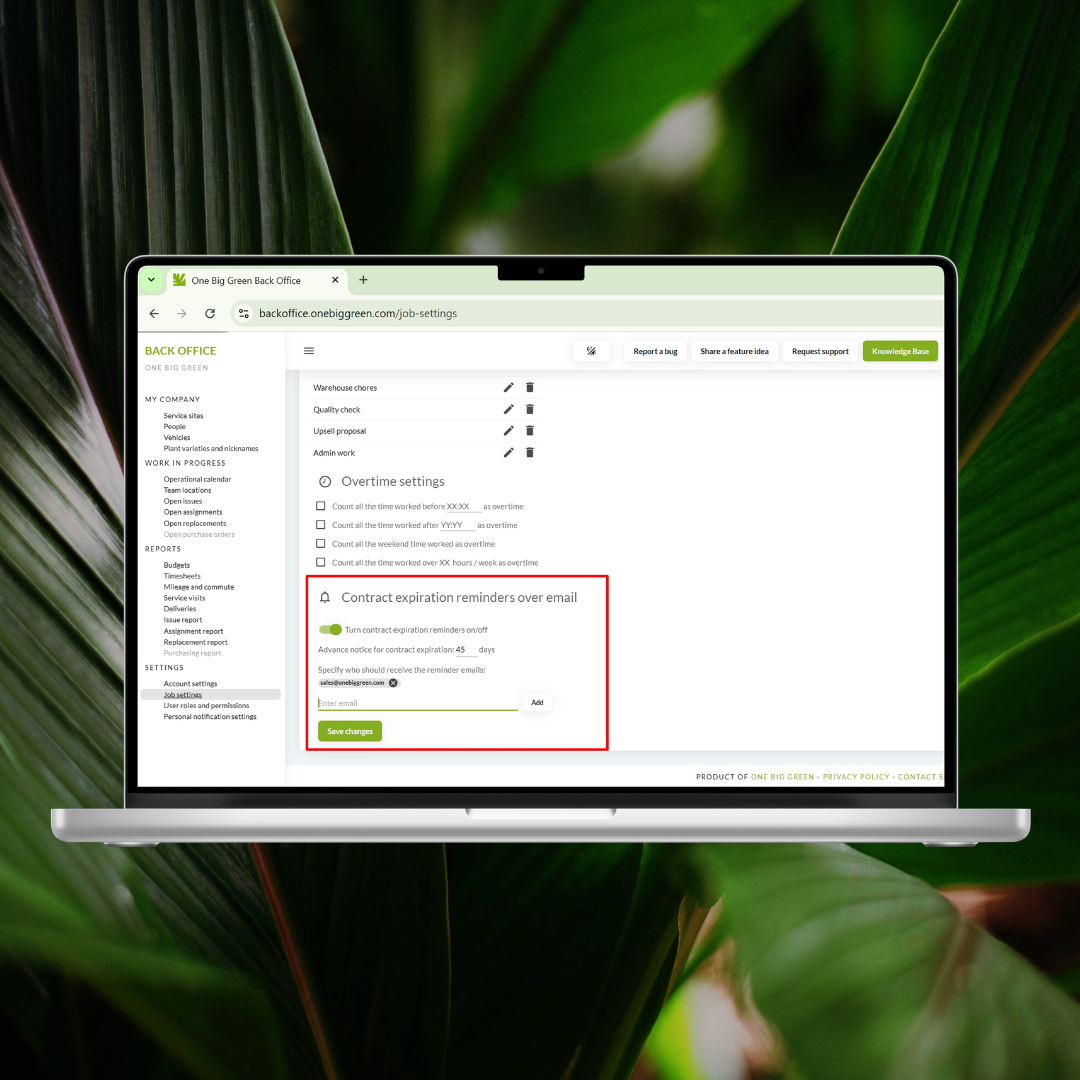
Now you can also set up contract end reminders directly in Job Settings.
Choose:
how far in advance you’d like to be reminded
which email addresses should receive the notification
The recipients don’t even need to be OBG users.
No more missed renewals. No more surprise expirations. No more lost commercial opportunities.
Why it matters:
A simple reminder can prevent lost revenue. This feature helps you stay ahead of renewals, follow up at the right time, and keep customer relationships moving forward proactively.
Reschedule or Shift Serial Visits in the Operational Calendar
Until now, editing a scheduled serial visit in the Operational Calendar was limited to changing the assigned technician or the time window.
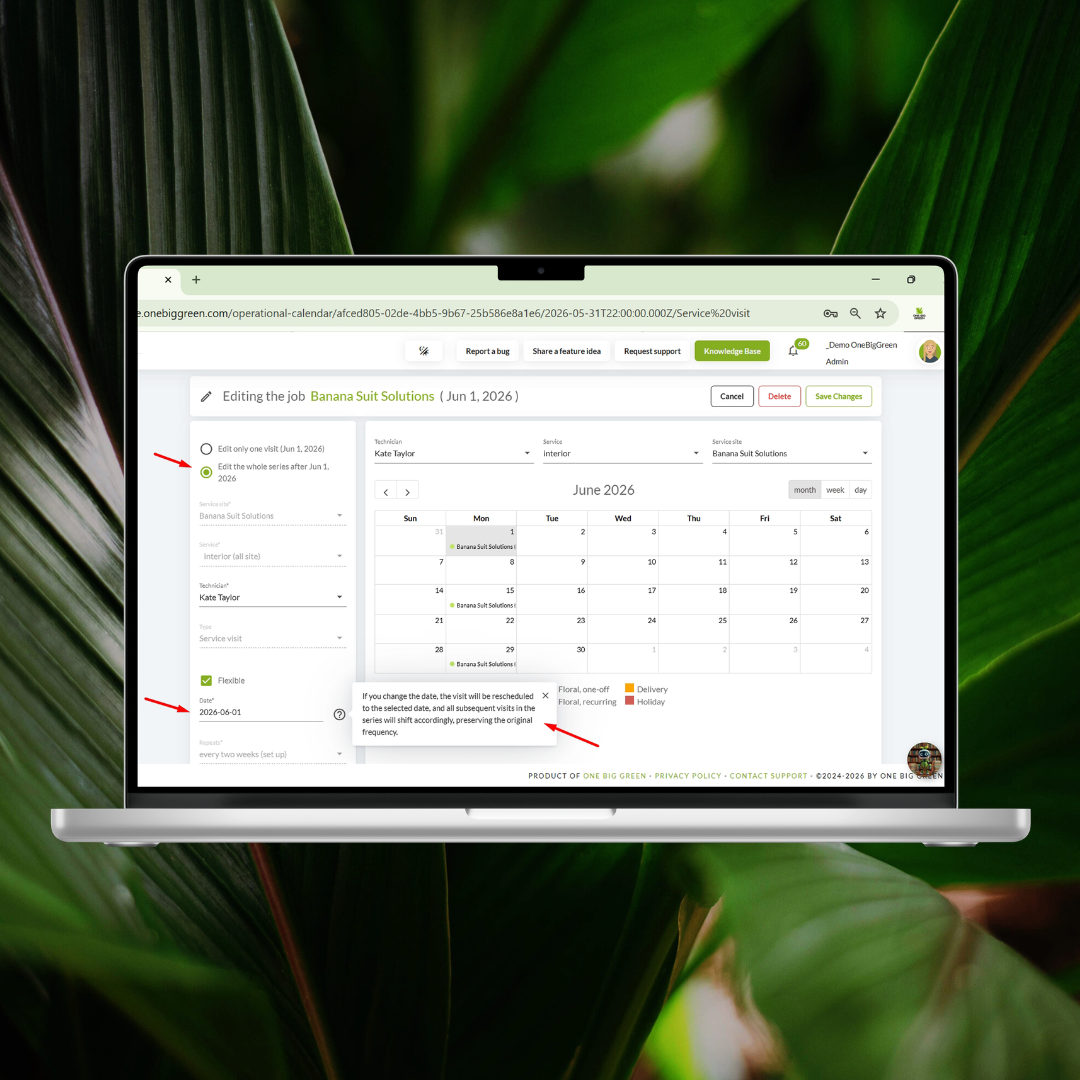
You can now also shift recurring visits by any number of days.
For example:
If a site is normally visited on Monday but needs to move to Tuesday, open the edit form, ensure you chose “Edit the whole series”, select where the first upcoming visit of the series should go, and save changes - and the future visits will automatically shift accordingly. Alternatively, you can also drag and drop the first upcoming visit of the series you want to reschedule to a new day. Just confirm you want to shift the whole series accordingly – and the system will do it for you.
Why it matters:
Recurring work changes all the time. This makes schedule adjustments much quicker and removes the need to manually edit visits one by one.
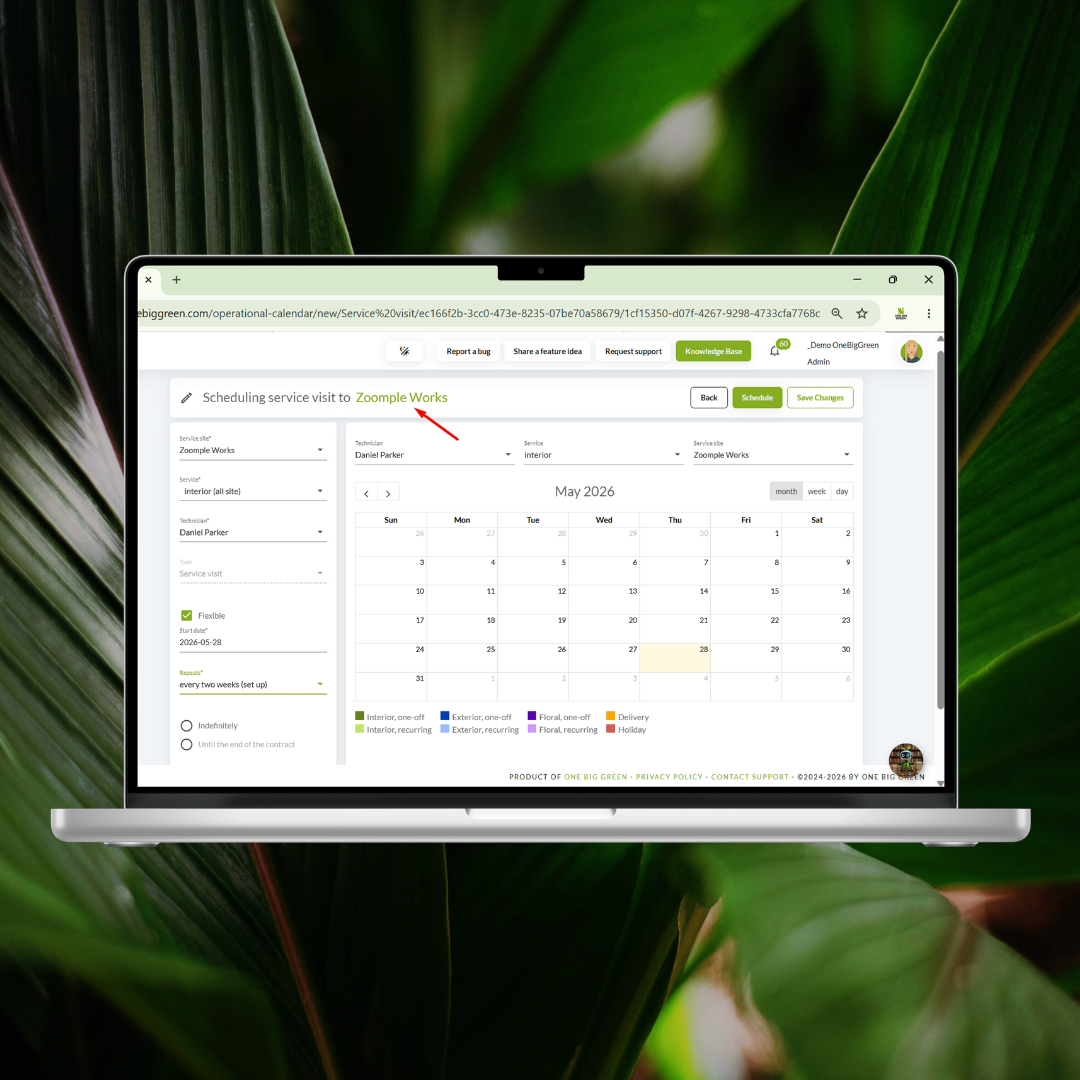
Clickable Site Name When Scheduling Visits
A small update with a big impact.
The site name inside the visit and delivery scheduling form is now clickable, so while scheduling, you can instantly open the site and review related information without leaving your workflow.
Why it matters:
Less switching between pages means faster scheduling, fewer mistakes, and easier access to important site details exactly when you need them.
Time Formats Unified Across OBG
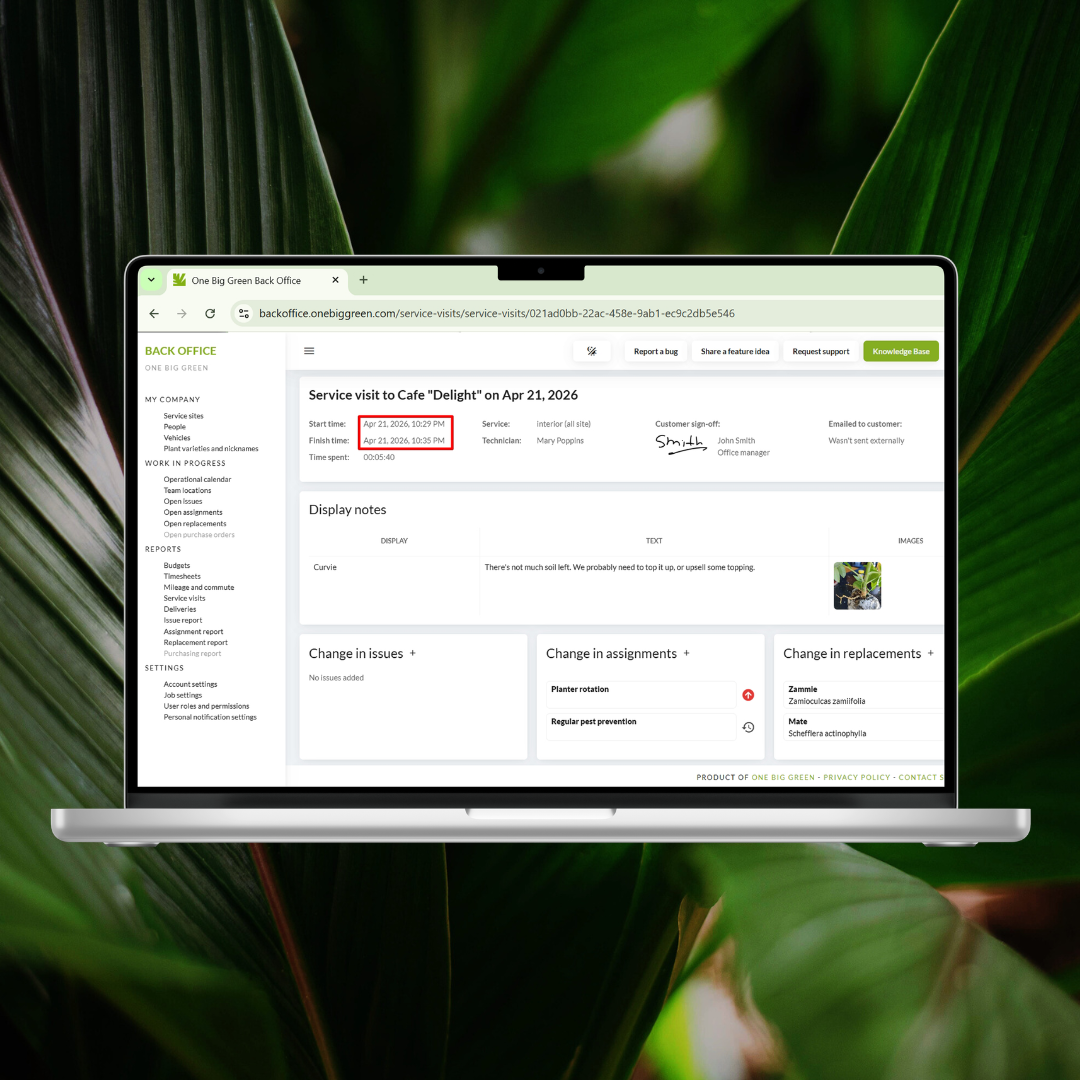
We’ve now unified all time formats across both Back Office and the mobile app.
From now on, time is displayed consistently in 12-hour AM/PM format everywhere in OBG.
This helps eliminate confusion, reduces miscommunication, and removes the need for constant time conversion.
Why it matters:
Consistency matters. A unified time format keeps everyone on the same page - in the office and in the field.
Default Ownership of Plants and Planters
Do most of your accounts use leased material? Or maybe leasing is not part of your workflow at all?
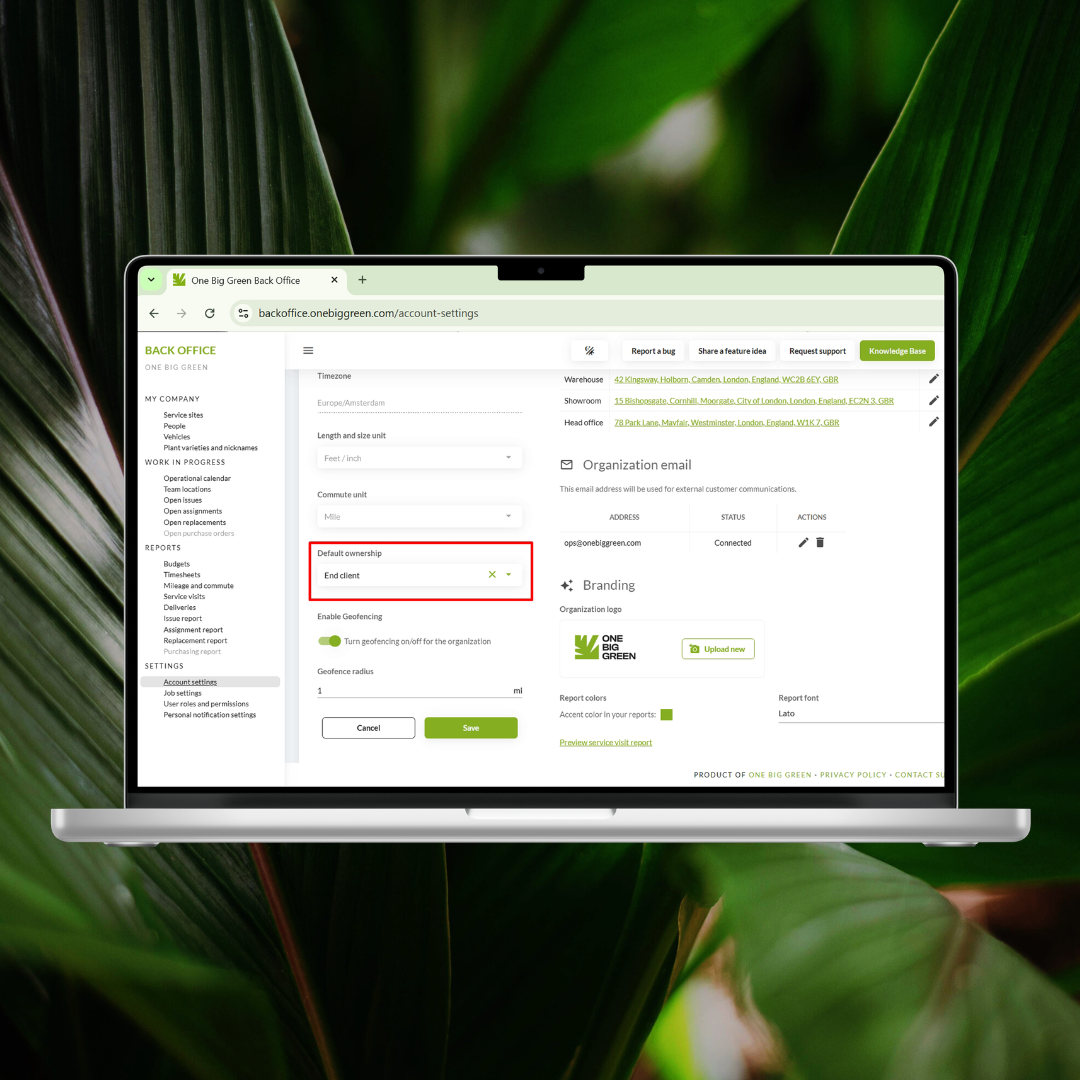
You can now set a default ownership type for plants and planters in Account Settings.
We’ve also added ownership settings to the photo import workflow, so when importing displays from photos, you can choose which plant and planter ownership should apply to the newly created displays.
You can still update ownership item by item whenever needed, but setting a default can save a lot of repetitive clicking - especially when onboarding new accounts or adding service sites regularly.
Why it matters:
Less repetitive data entry means faster setup, fewer errors, and smoother account management.
New Monthly Frequency for Recurring Assignments
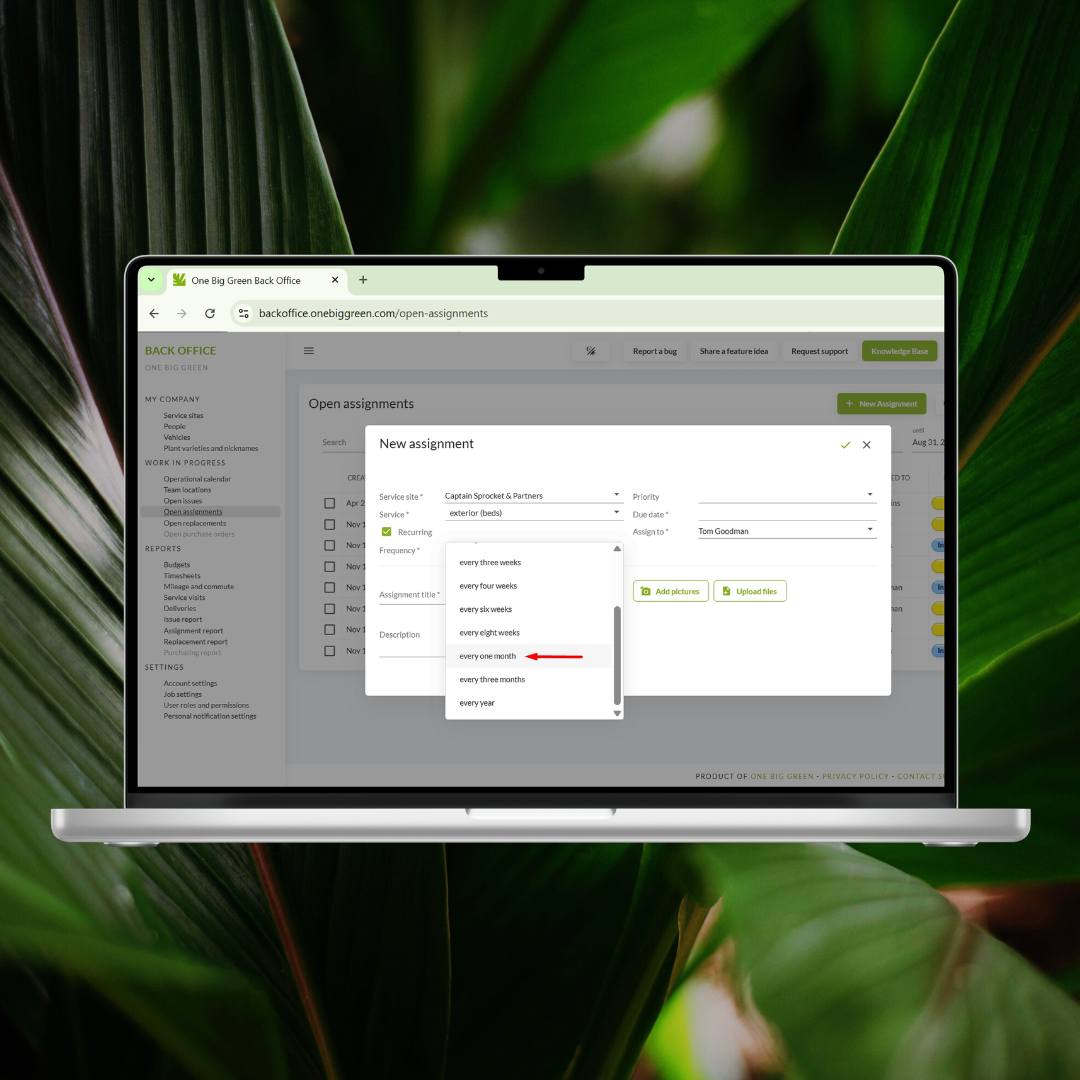
Based on your feedback, we’ve added 1 month as a recurring assignment frequency.
Need paperwork submitted before the 1st of every month?
Need supplies picked up before the 15th?
You can now schedule those easily.
A quick note:
4 weeks = every 28 days
1 month = once every calendar month, regardless of how many days that month has
Why it matters:
This gives you more flexibility when scheduling recurring work tied to calendar dates rather than fixed day intervals.
Personal Notification Access Can Now Be Controlled by Role
Each user can still manage their own notification preferences in the app.
But now the central notification settings area in Back Office can also be opened or restricted through User Roles & Permissions.
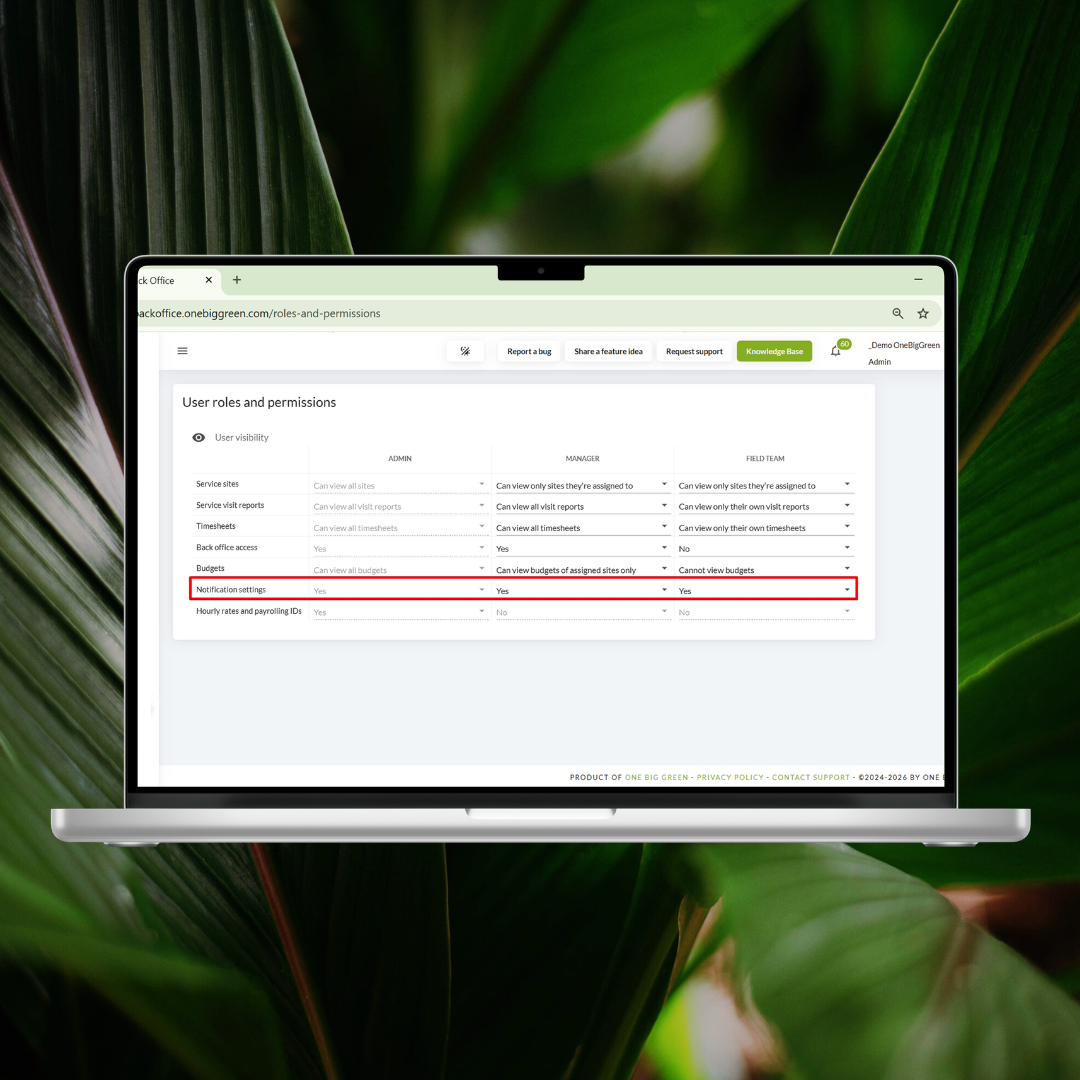
Why it matters:
This gives administrators more control over who can manage notification settings, helping keep internal communication organized and permissions aligned.
New Service Type Added: Holiday
Christmas in July? Not quite… but we’re getting ready.
We’ve added Holiday as a new service option alongside interior, exterior and floral.This gives you a dedicated way to plan and manage seasonal holiday work inside OBG.
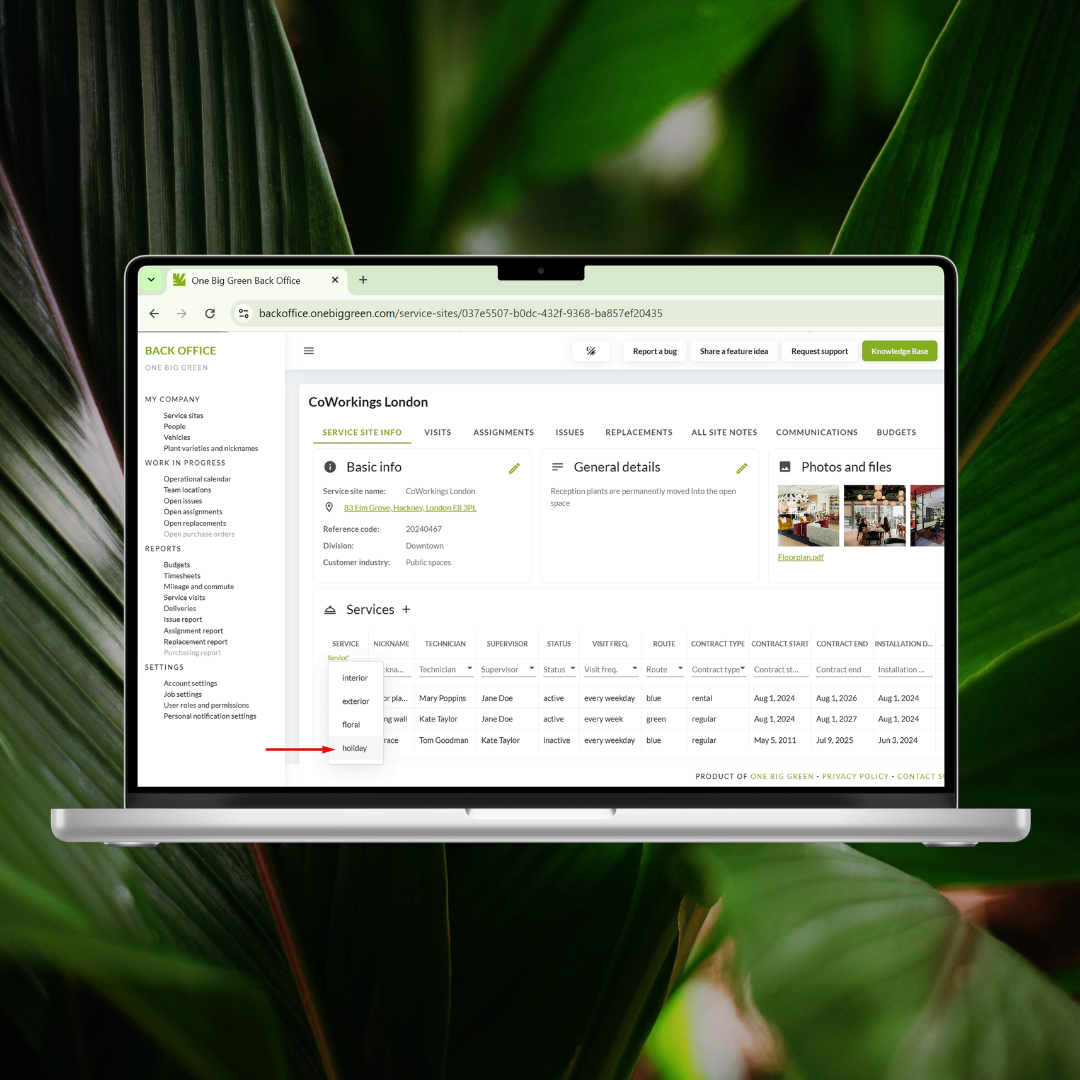
Why it matters:
Holiday work often comes with unique timelines, teams, and planning needs - and now it has a dedicated place inside your workflow.
New “Assigned to Me” Tab in App → Replacements
While we continue building the larger automated replacement workflow, we’ve added something helpful right away.
Inside Replacements in the mobile app, you’ll now find a new tab called Assigned to Me.
Similar to Assignments and Issues, it shows all replacements specifically delegated to you.
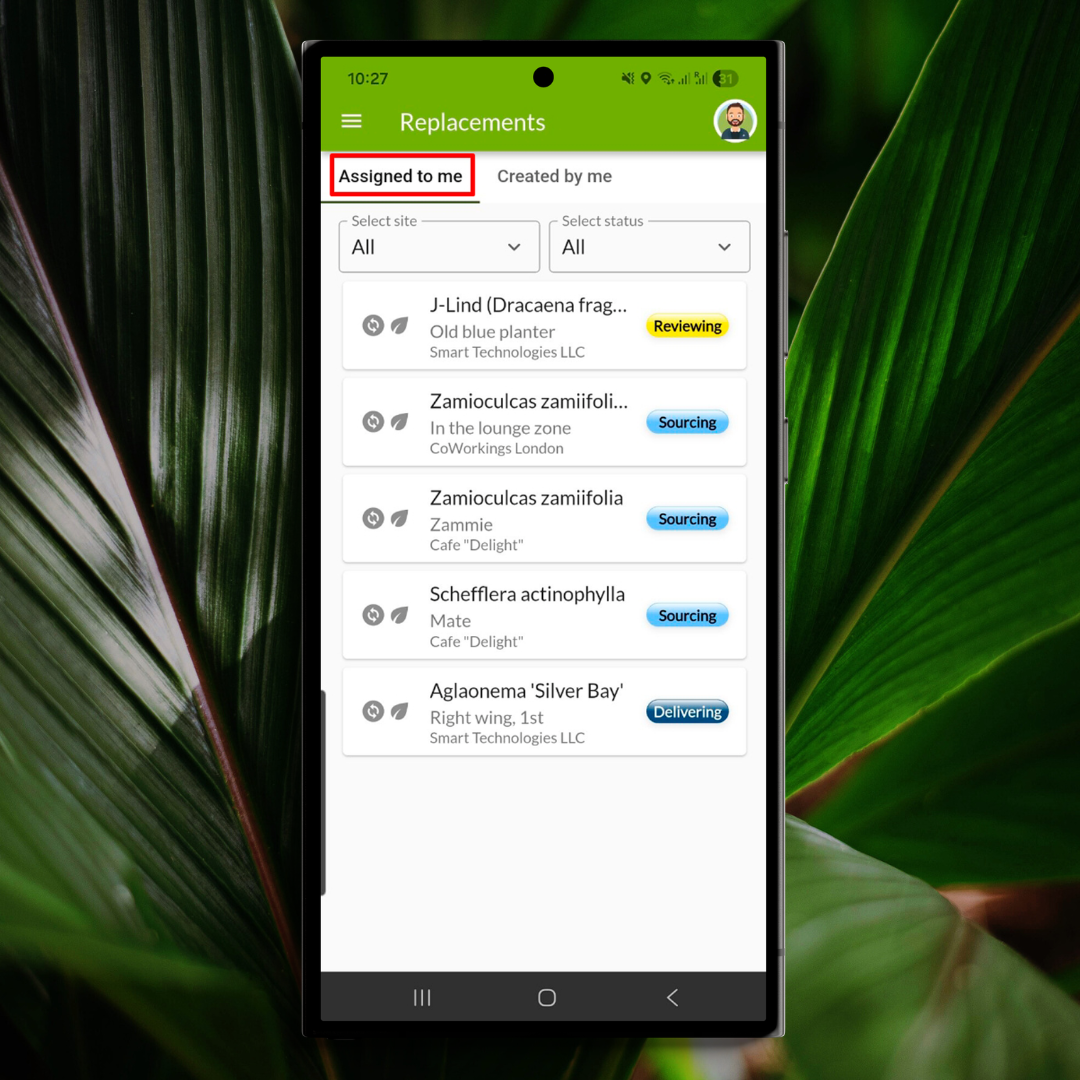
Why it matters:
This makes it easier for field users to know exactly what requires their attention - without digging through the full list.
Back Button in the Mobile App
Last but definitely not least…
The long-awaited Back button is now available in the mobile app.
If you’ve gone a little too deep into the details and need to jump back one step - now you can.
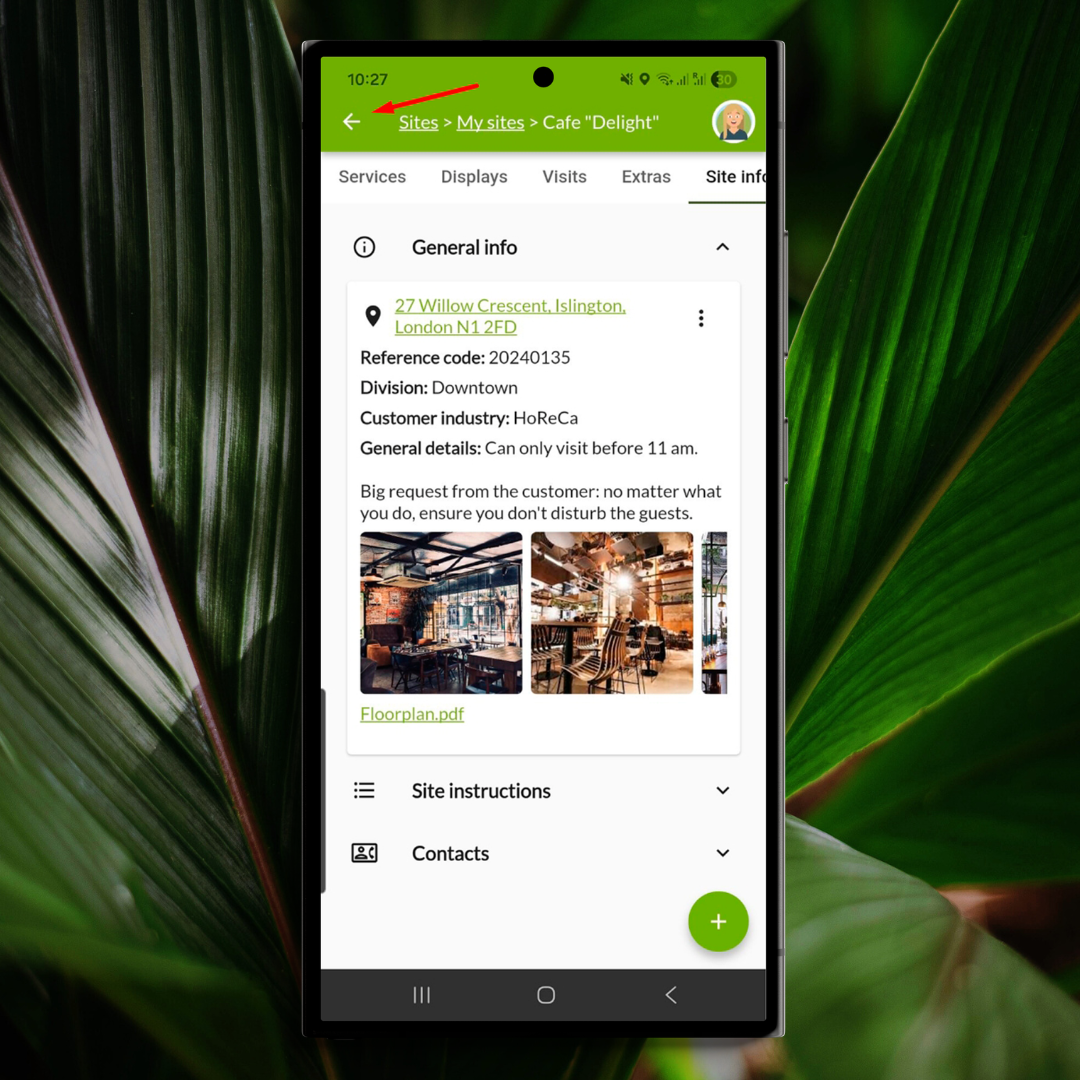
Why it matters:
A small usability improvement that makes navigation faster, easier, and a lot less frustrating.
Thanks for being part of One Big Green
We’re always working behind the scenes to make One Big Green smoother, easier to use, and more efficient for your whole team - whether you’re dispatching crews, managing schedules, or out on-site getting things done.
A lot of what we build comes directly from your feedback, questions, and day-to-day experiences using OBG. So thank you for continuing to share them with us - we genuinely pay attention.
And if you have new ideas, feature requests, or even small “it would be great if…” thoughts, please keep them coming. Some of our best improvements have started exactly that way.
We’re grateful to build this with you - and we’ve got plenty more on the way.


