What's new in One Big Green: edition February 2026

Big news. The biggest in OBG history.
AI can now fill your inventories for you
If the rest of the world is using AI to work faster and smarter, why should plantscapers be left out?
For the past few months, we have been training AI to see, recognize, and understand plant displays. Today, we are proud to introduce the first AI-powered feature in One Big Green: AI identification of your field inventories.
Adding inventory to a new account or service site now takes seconds, not hours:
Take one photo of each plant display
Import the photos using Import from pictures
Press the button and let AI identify everything
Review, adjust if needed, and press Save
And just like that, your service site inventory is ready.
In many cases, the accuracy rivals and even exceeds human identification.
Our AI engine recognizes plant species, counts units, and identifies key parameters like size, color, variegation, and more.
Here’s a quick video to show all this beauty in action: 👇
This will be a game-changer for new customers building their inventories and for existing customers filling gaps or onboarding new service sites.
And this is only the beginning.
We have much bigger plans for how AI will transform plant management.
This first step unlocks possibilities that were previously unattainable.
Stay tuned! (if not already)
Budgeting and job costing, upgraded
Based on your feedback, we made budgeting smarter and faster.
You can now:
Budget service, commute, other time, and replacements as % of revenue
Enter revenue once and have it automatically synced across all cost sections
Define date ranges for specific budget percentages
Keep your selected date interval consistent across all budget tabs
Update budget targets directly from the service site card
Better visibility. Better control. Better margins.
Here’s a quick video to recap how budgeting and job costing work in One Big Green:👇
Operational calendar just got smoother
Planning and rescheduling are now faster and more intuitive:
Reschedule visits with simple drag and drop
Standard delivery instructions are now automatically added to scheduled deliveries
Instructions remain fully editable whenever needed
Less clicking. More flow.
Field notes and display history are now better organized
We made it much easier to see exactly what is happening in the field.
Every service site now has a dedicated section with all field notes in one place. Everything your technicians observe is instantly visible in a new section of the Service site card, neatly organized.

The individual display history is now also fully filterable. You can view:
Field notes only
Maintenance history
Replacements
Edits
Or everything together
No clutter. Just the information you need.

Improved consistency for US ZIP codes
All US ZIP codes are now standardized to 5 digits, making filtering and reporting cleaner and more reliable.
Mandatory new photo when completing a replacement
When completing a replacement request, updating the display photo is now required.
This helps maintain clean, accurate records automatically and ensures your data stays reliable without extra administrative effort.
This consistency is essential for the powerful data insights and automation capabilities we are building next.
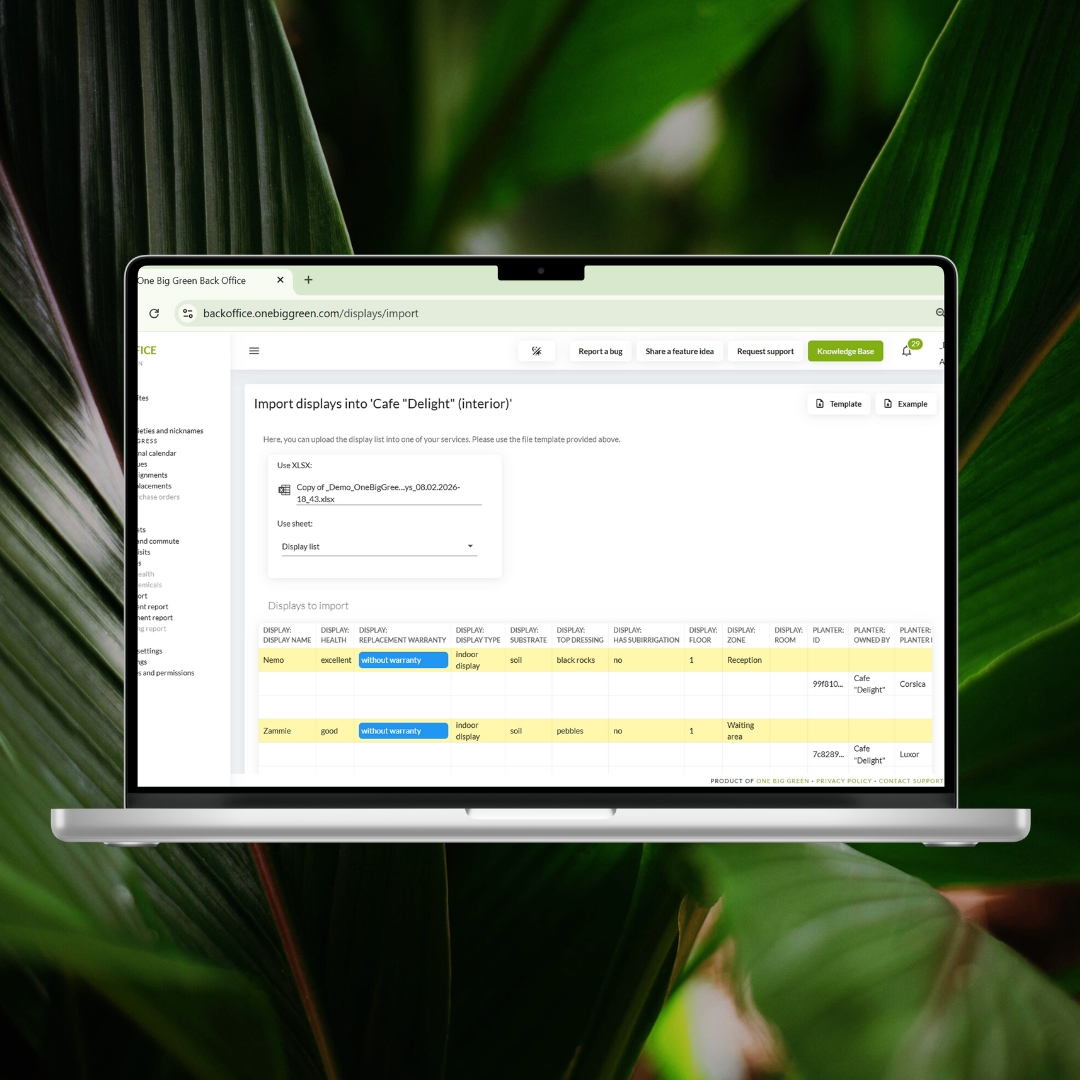
Improved import preview
You can now clearly see exactly what data will be added or updated before confirming your import.
This gives you full confidence and control over every change.
This is especially useful when using the export-update-import workflow to bulk update your service sites or displays.
Always pushing the boundaries
At One Big Green, our mission is simple: give plantscapers the most advanced operational tools in the world.
We will continue investing heavily in AI, automation, and usability to help you save time, improve accuracy, and run a more profitable operation.
And as always, many of our best improvements come directly from your ideas and feedback. Please keep them coming. They help shape the future of OBG.
More exciting things are coming very soon.
Stay tuned!
The One Big Green team 🌱