
What's new in One Big Green: edition March 2026

Spring is in the air, and everything around us is starting to wake up, sprout, and get ready to bloom. So we’re also rushing in with a fresh batch of new features and improvements that have been quietly growing behind the scenes.
This release brings several powerful new tools designed to make your daily work smoother, faster, and a lot more automated. From smarter notifications to better budget controls and improvements that prepare the ground for automated service reports, there’s quite a lot
packed into this update.
Let’s take a look at what’s new. 👇
Fully customizable personal notification system
This is a big one.
We have introduced a fully customizable notification system so you and your team can stay instantly informed about the events that matter most.
From now on, you can receive notifications when new visits are scheduled or rescheduled, when a new issue, assignment, or plant replacement is assigned to you, and much more.
You can now choose how you want to be notified through three different channels:
In-product notifications in the Back Office
Email notifications
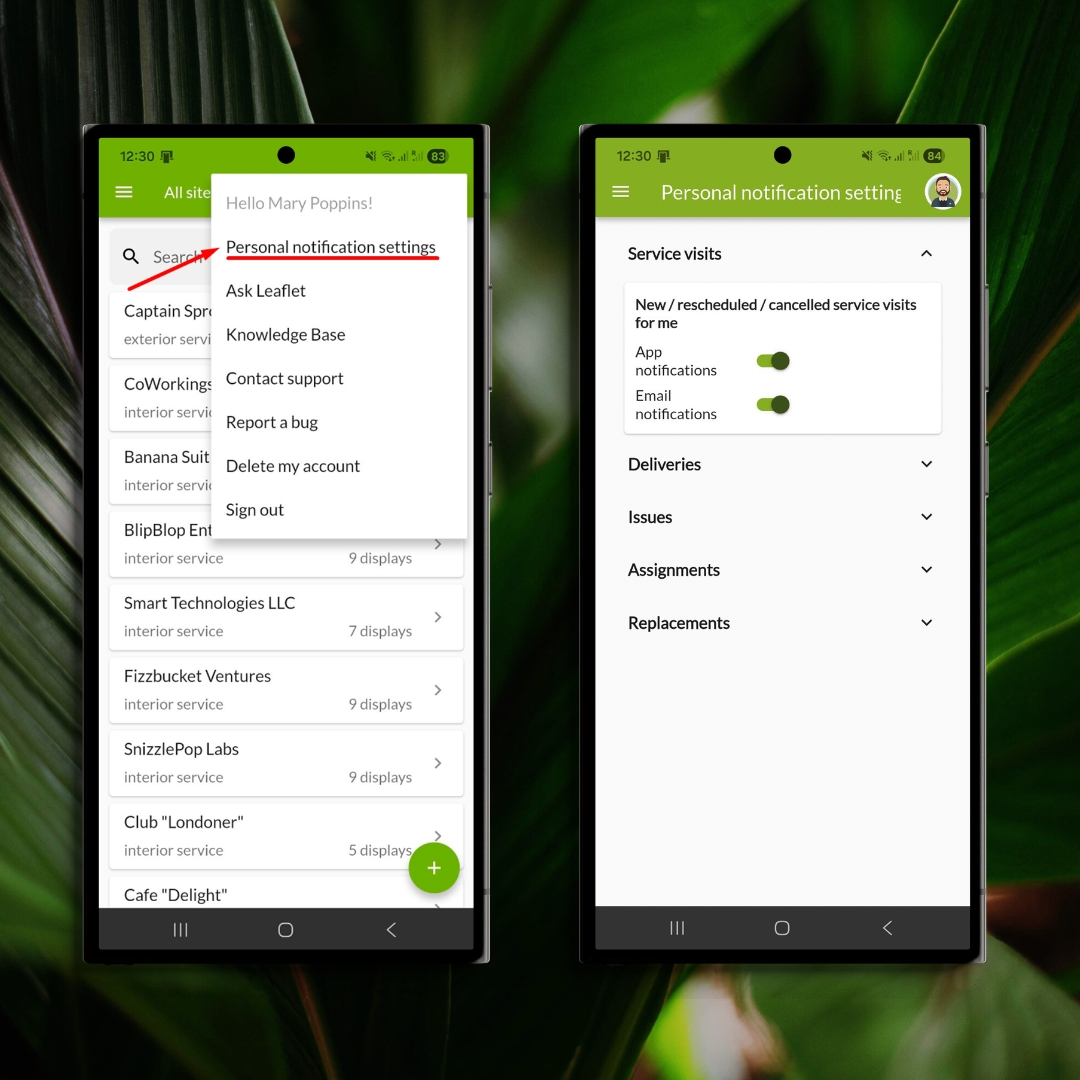
Push notifications in the mobile app
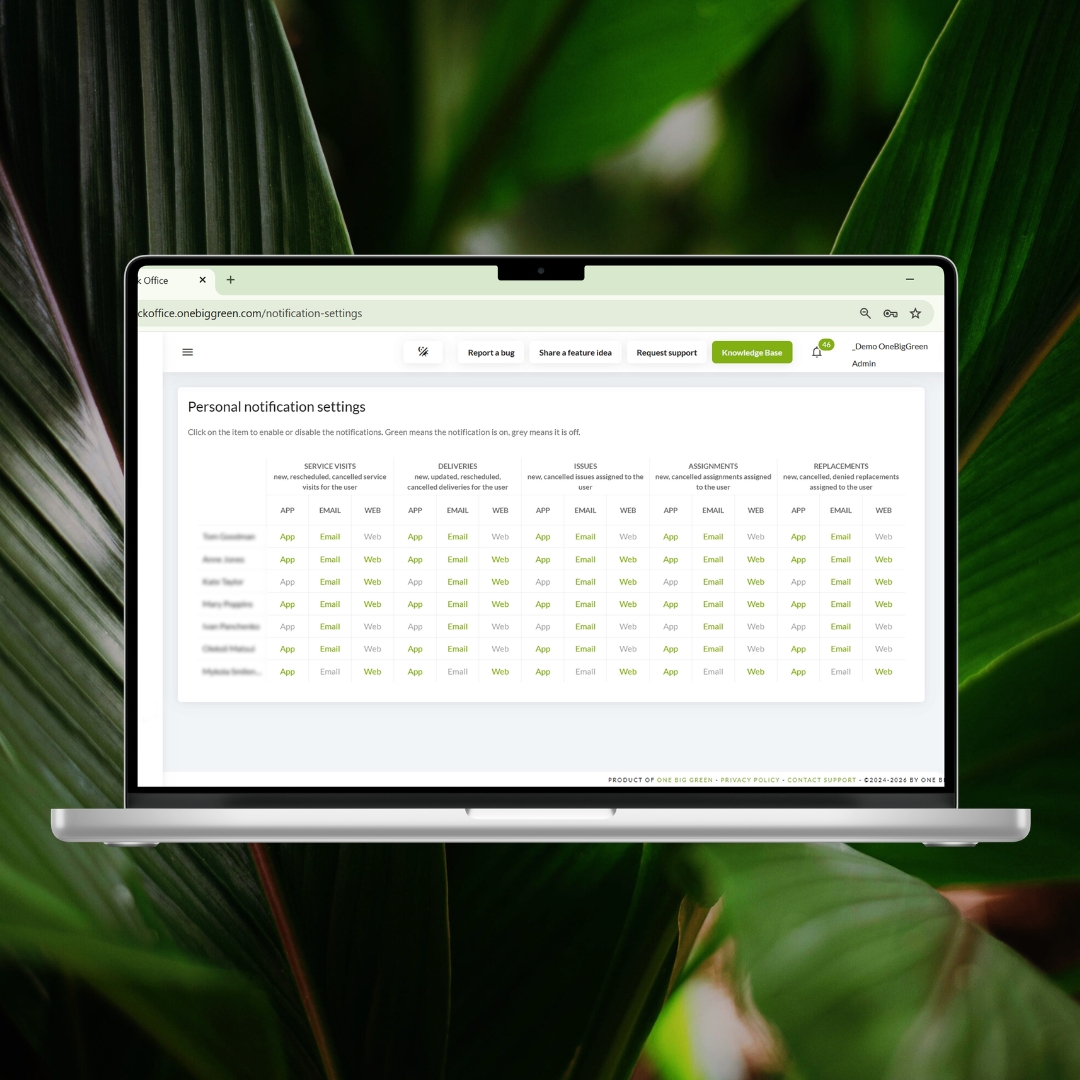
The notification panel in the Back Office has also been upgraded. It now includes two sections: General notifications and Personal notifications. Both sections come with handy filters that allow you to quickly focus on the specific types of updates you want to see.
While General notifications are system-wide and cannot be adjusted, Personal notifications are fully customizable.
Back Office users can configure notification settings for their colleagues in the new Personal Notification Settings section. In addition, every user can manage their own notification preferences directly in the mobile app.
Easier download of display note photos
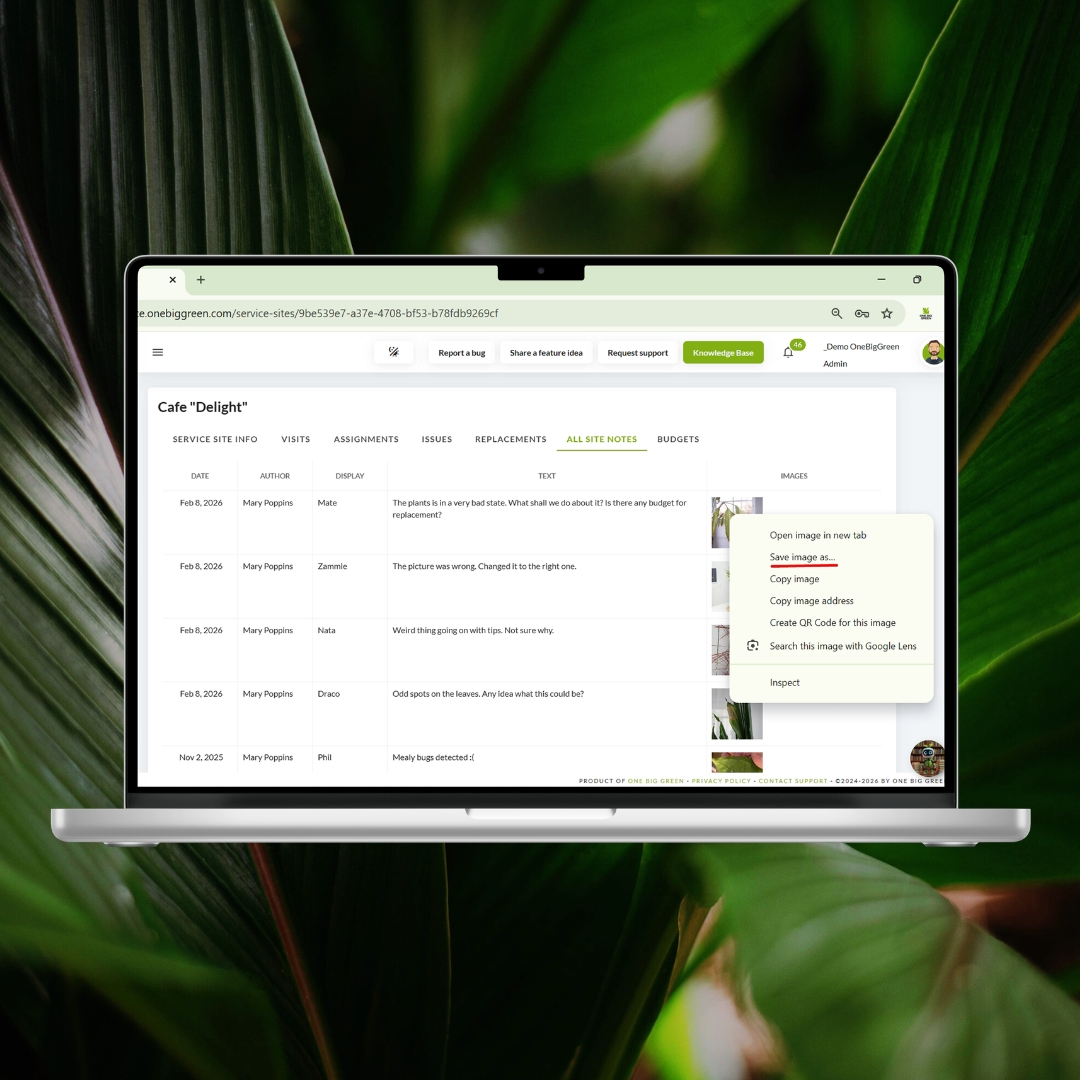
Downloading display note photos is now much simpler.
We updated the way images are stored in the All Site Notes tab and the Display History.
From now on, you can simply right-click any image, select “Save,” and download it directly to your device.
Major improvements to Budgets
We made several important updates to the Budgets module to help you manage financial targets more efficiently.
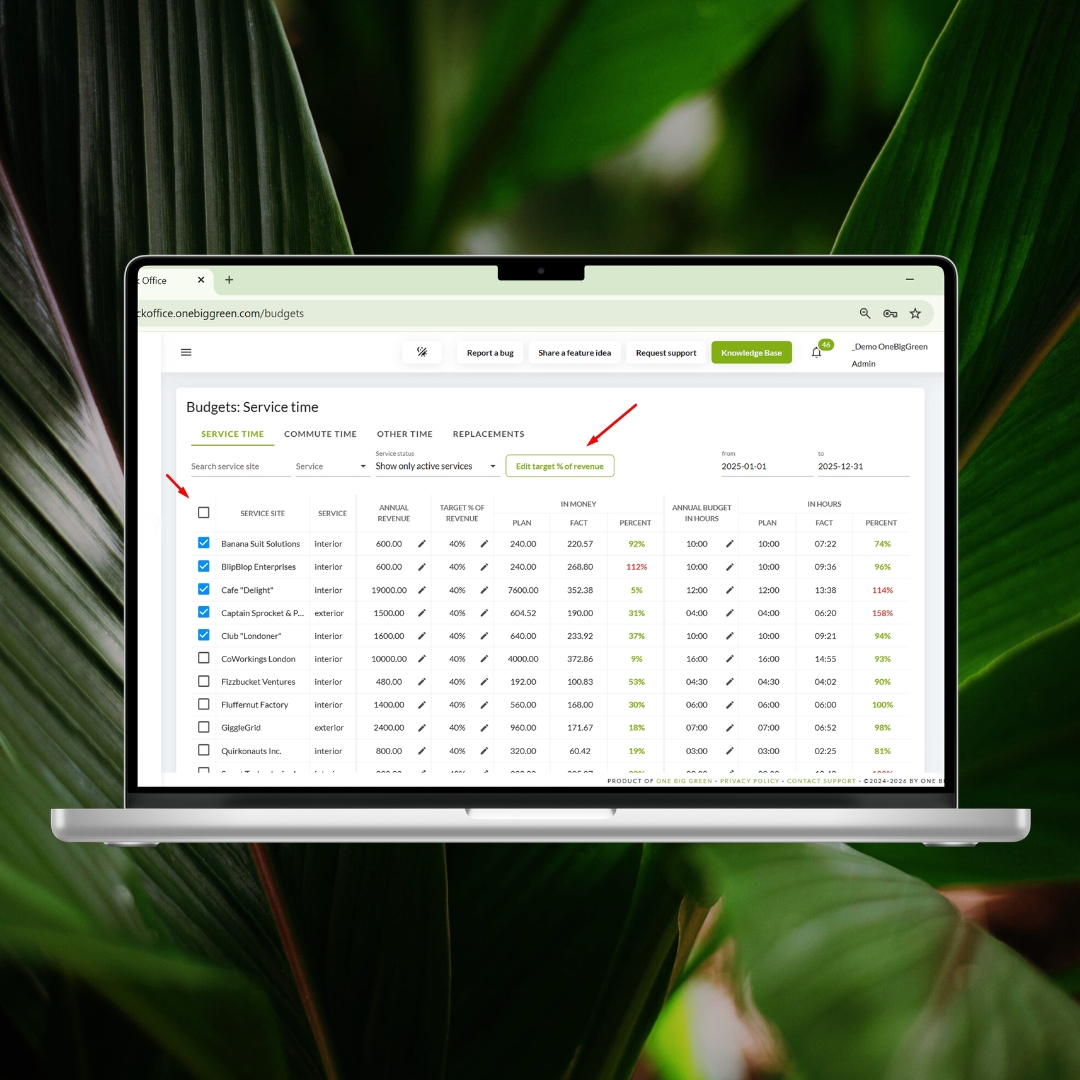
You can now edit multiple budgets at once.
Simply select all or specific accounts and update their target percentage of revenue in one action.
This works across all budget subsections and can save significant time when setting up or adjusting your budget controls.
We also introduced role-based access to Budgets, giving you greater control over who can see financial information.
Budget visibility now follows the visibility of service sites:
If a role has access to all sites, you can choose whether users see all budgets, only budgets for sites they are assigned to, or no budgets at all.
If a role can see only the sites they are assigned to, the available options become budgets for assigned sites or no budgets.
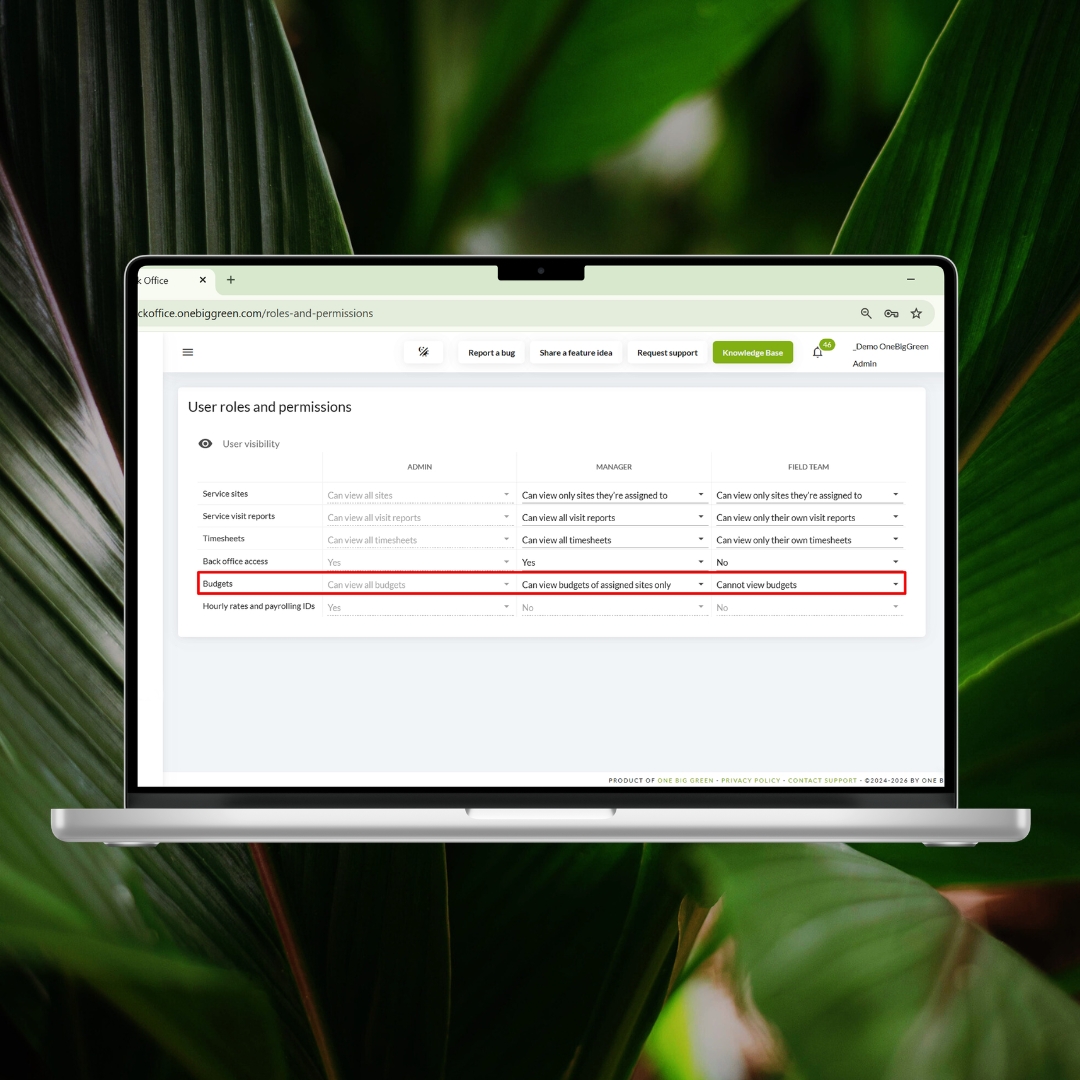
Because the Budget section contains sensitive information such as service revenue and site profitability, we recommend reviewing and configuring these permissions carefully.
Improvements to the Service Site list
We also made a few usability improvements to the Service Site list:
Long site names are now fully visible.
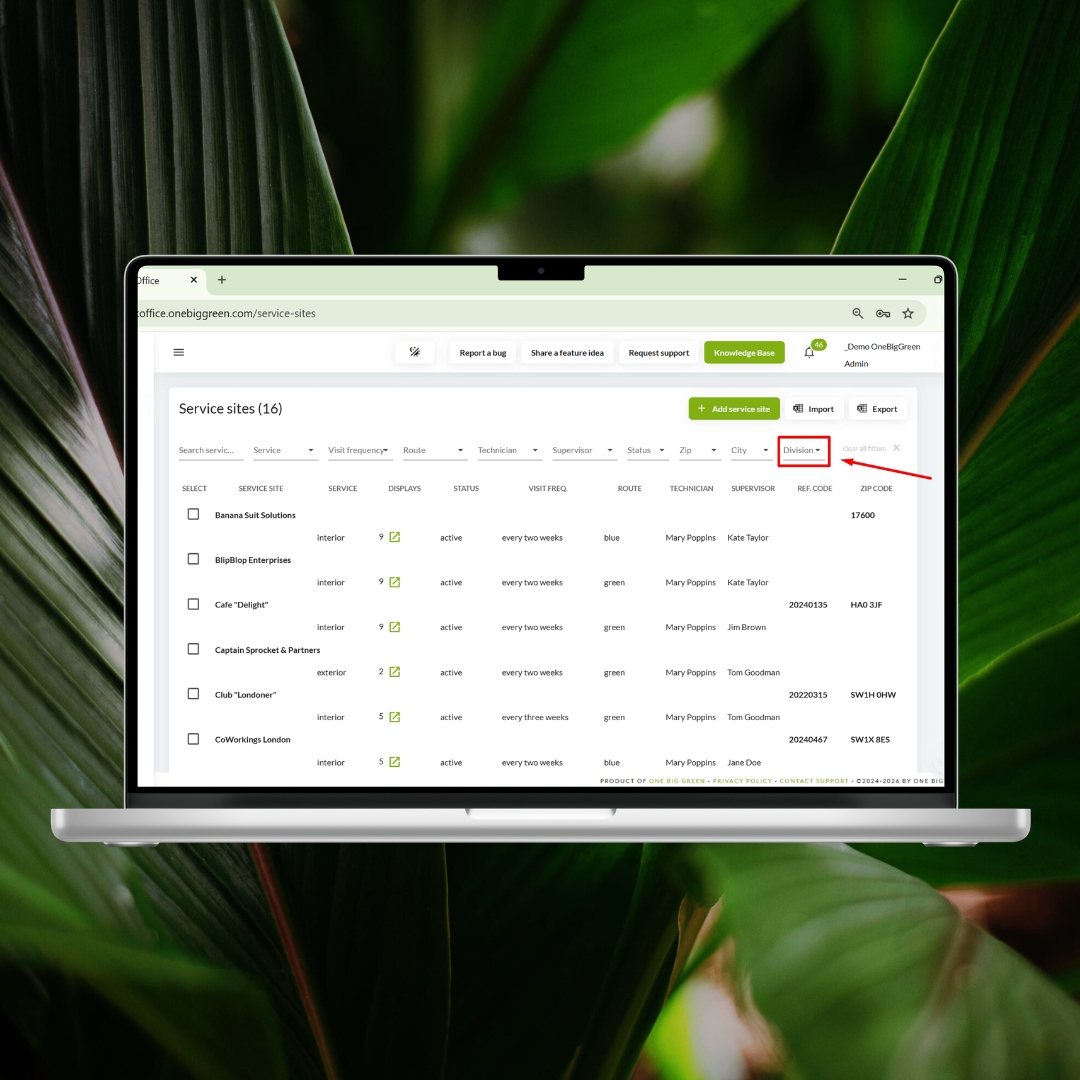
A new division filter allows you to quickly view sites that belong to a specific division, territory, or part of your portfolio (as long as divisions are defined for your sites).
Preparing for automated service visit reports
We are also preparing for a major update next month that will allow you to automatically send service visit and delivery reports to your customers. This new feature will eliminate the need to manually compile reports after every visit and could save your team hours of administrative work.
To prepare for this release, we have already introduced several improvements.
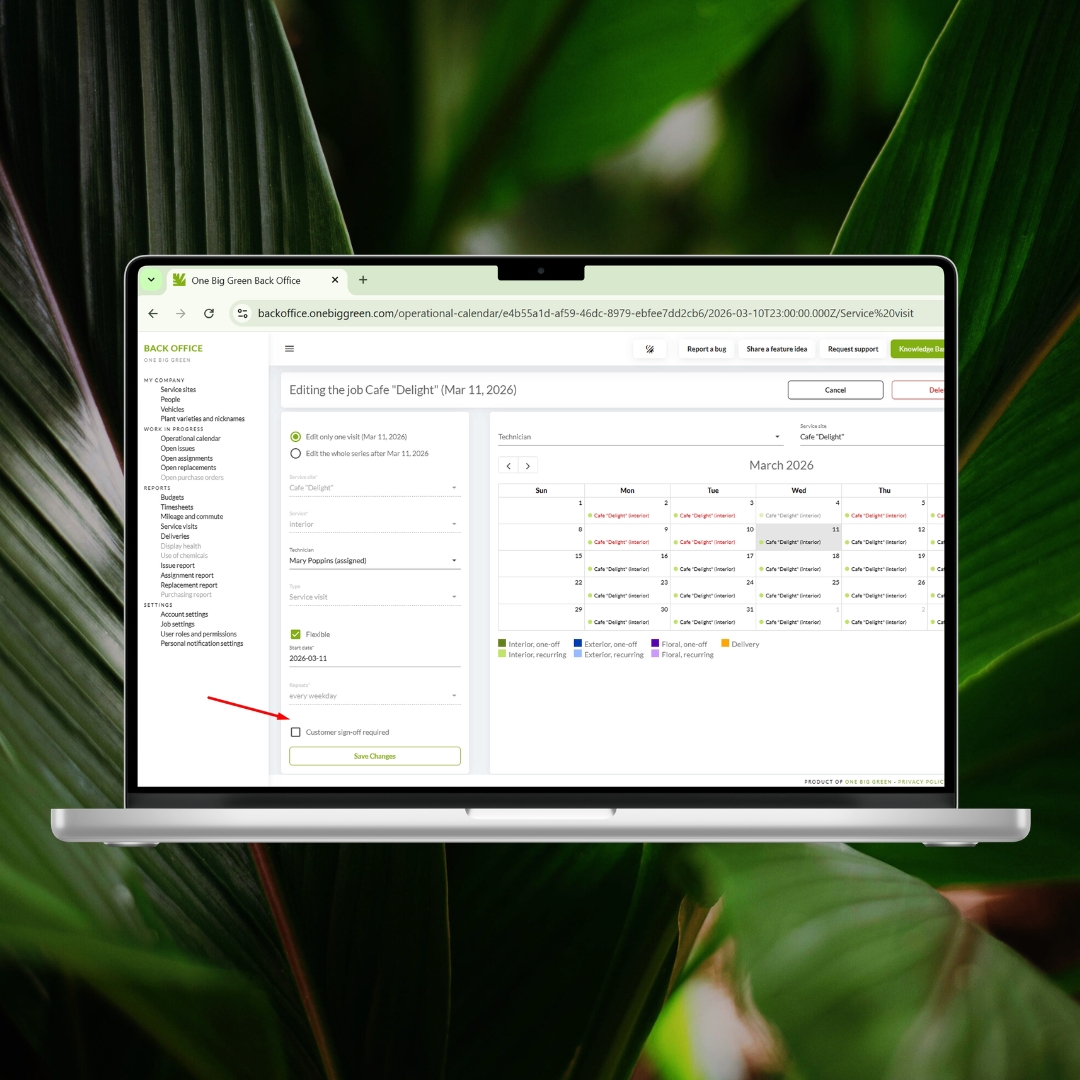
When scheduling a service visit or delivery, you can now enable “Customer sign-off required.” If selected, your technician will collect the customer’s signature directly in the mobile app at the end of the visit. These signatures will appear in the Back Office reports and will also be included in the reports sent to customers. The layout of service visit and delivery reports has also been improved to make them clearer and easier to read.
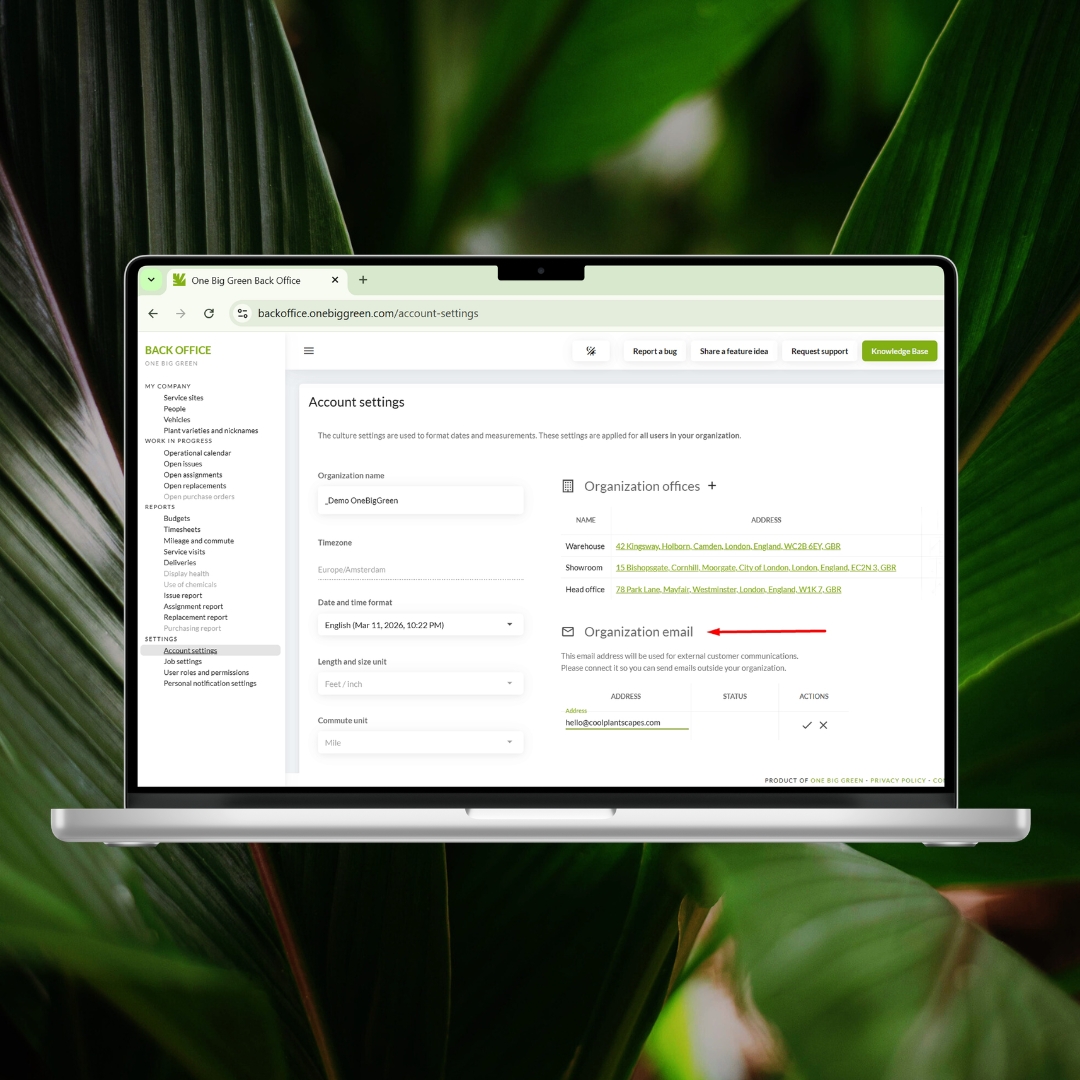
You can now also connect your company email address under Account Settings → Organization Email. Once connected, this address will be used when sending external communications to your customers, including service visit and delivery reports.
(Important note: One Big Green does not receive access to your inbox. We only use the address to send communications on your behalf.)
More updates in this area are coming soon.
Automated customer reports are just around the corner.
Always pushing the boundaries
One Big Green continues to grow with every release, and every new feature brings us closer to making plant service operations smoother, faster, and easier for your team.
Many of our best improvements start as ideas from users like you. If there is something that would make your daily work easier, we would love to hear it. Your feedback and feature suggestions help shape the future of One Big Green and make the platform better for everyone.
Stay tuned. There is a lot more coming. 🌱


